Vice City / Моды / Тотальные конверсии
GTA Vice City Paradise Edition
- ClassicSaloonCar | загрузил ClassicSaloonCar
- 11/23/2026
- 81 Скачивания
Оценки:
Сначала войди в аккаунт.
Избранное:

Видео
Видео пока не добавлены.Войди в аккаунт, чтобы добавить видео к этому моду.
Описание
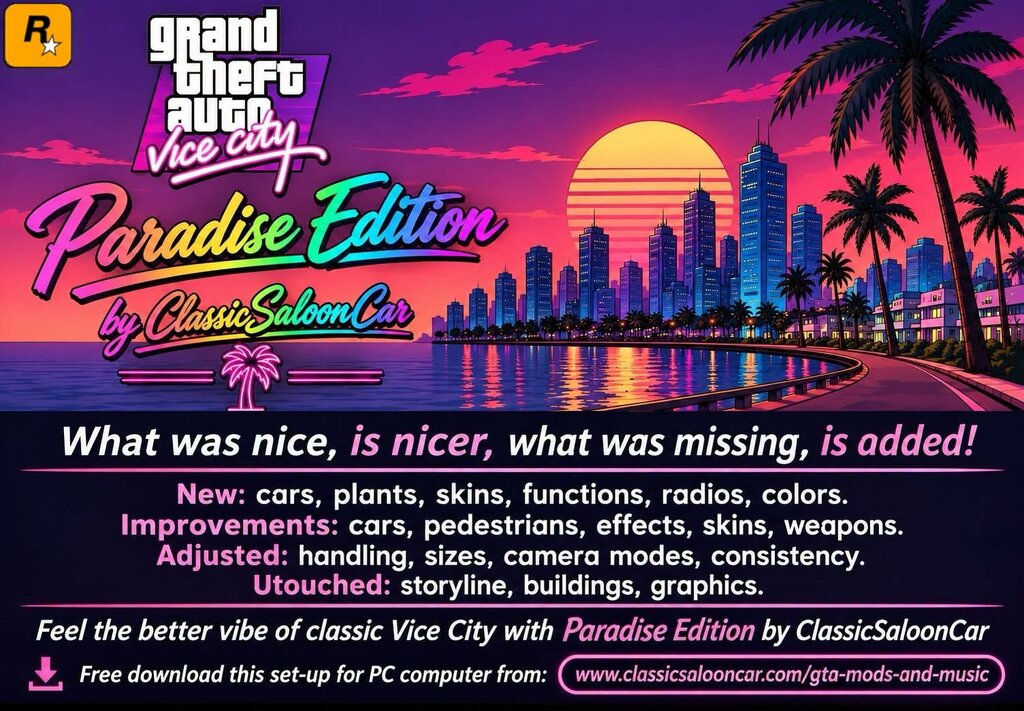
GTA Vice City Paradise Edition is made to highlight everything that makes the game great, while replacing the less successful elements with features that were previously missing. It still remains the good old, iconic Vice City. GTA Vice City Paradise Edition is like a mix of existing enhancements—sourced from various modding communities, carefully configured and integrated—and my own. For technical and graphical aspects beyond my skills, I was cooperating with Mr Light7 from Fiverr.
What have I changed in the game? It’s hard to list everything, but here are the main changes:
1. As a car enthusiast, I’ve focused heavily on the vehicles:
- Numerous new models have been added—specifically a wide variety of interesting saloon cars, which were a weak point in the original version.
- The existing models have been improved.
- Vehicle performance now varies significantly; gone are the absurdities like the Hummer (Patriot) being fast.
- Vehicle dimensions are now more realistic—for instance, the Cadillac Eldorado (Esperanto) is a massive car, just as it is in real life.
2. The in-game radio stations are rebuilt by me, incorporating tracks from various other GTA series and beyond. They are mixed in logical, cohesive whole. Dull (at least for me) radio stations have been replaced, and the iconic ones have been enhanced. Regarding the radio stations—for instance, in those from San Andreas—I made no attempt to hide their origin — after all, it’s entirely possible to pick up radio stations from other locations!
3. I also adjusted the color palette, along with some of the vegetation and various visual effects.
4. There are several changes to pedestrians and weapons, and the protagonist himself, Tommy, now has a slightly more "gangster" look.
5. I’ve included a few technical improvements. While I didn’t create them myself, I cared about nice selection of existing mods and configured them in what I consider to best way. For example, there’s a "cruising" mode—activated by pressing the left Alt key—which allows you to drive at the same speed as the other vehicles in the game. It’s a little-known mod, but in my opinion, a very good one.
The graphics remain the same (which, in my opinion, is sufficient to capture the atmosphere of that era and that city), and there are no changes to the storyline. As a huge and experienced fan of this game, I’ve tried to strike a balance: I wanted to enhance specific elements—things I felt confident about—without compromising the game’s original character or the very reasons it became a cult classic.
Nowadays, whenever someone creates something, there’s often an accusation that people say it was done using ai. To avoid any such claims, I want to clarify that I didn’t use ai for anything—I handled everything myself, making choices that I believe best suit the game’s spirit. The only exception is the loading screen — ai is very good at that sort of thing, so why not take advantage of it!
How to install?
1.GTA Vice City Paradise Edition is a modification, not a standalone game. Therefore, you must have the default GTA Vice City installed.
2.Once you have GTA Vice City installed and running on your computer, download GTA Vice City Paradise Edition and extract the file.
3.Next, create a new folder named "backup" in a location with at least 2GB of free disk space, and copy the entire contents of your game installation folder—likely named "Grand Theft Auto Vice City"—into it. Do not delete this backup folder — you never know when it might come in handy.
4.Once the original game folder is empty, copy the contents of the "GTA VC Paradise Edition by ClassicSaloonCar" folder—specifically the entire contents of the subfolder also named "Grand Theft Auto Vice City"—into your game installation directory. Do not rename the original folder where the game is installed.
5.You can now launch the game, but PLEASE NOTE:
-In the graphics settings, set "TRAITS" to "ON"—the visual effects for Paradise Edition were designed with this setting in mind — even if you dont like that setting in default Vice City — its totally different here.
-In the same graphics menu, set the "BRIGHTNESS" to a high level—it doesn't need to be at the maximum, but set it to at least 70%.
-When configuring controls, leave the ALT key unassigned — it is mapped to a "walk/slow ride" function—a feature that cannot be assigned through the in-game menu.
6.NOTE: On some computers, the game may close after changing the resolution. Don't worry—simply restart the game, and your chosen resolution will be applied.
7.NOTE2: Due to different vehicle sizes, if you use your old saves, some garages may not open. You must empty them before installing "Paradise Edition".
That’s it—enjoy the game!
Technical requirements:
Similar to the standard version of VC, though some computers may require additional drivers. For instance, while the standard VC worked fine on my own laptop, the "Paradise Edition" required this:
https://www.microsoft.com/en-us/download/details.aspx?id=8109
There are also readily available guides on how to resolve common errors that occur when newer computers struggle to run older games—for example:
If the game throws an error, make a note of the error name and search for a solution online, or ask an ai for help.
If the game doesn't run on your computer, it doesn't mean there is an issue in the game — it simply means your computer needs to be configured to support the game. I created and used Paradise Edition on Windows 7.
Комментарии
Опубликовано комментариев: 0.