San Andreas / Инструменты / Другие инструменты
SaveAnywhereSA
- estinati | загрузил estinati
- 04/10/2026
- 2263 Скачивания
Оценки:
Сначала войди в аккаунт.
Избранное:
Videos
Видео пока не добавлены.Войди в аккаунт, чтобы добавить видео к этому моду.
Описание
# SaveAnywhereSA
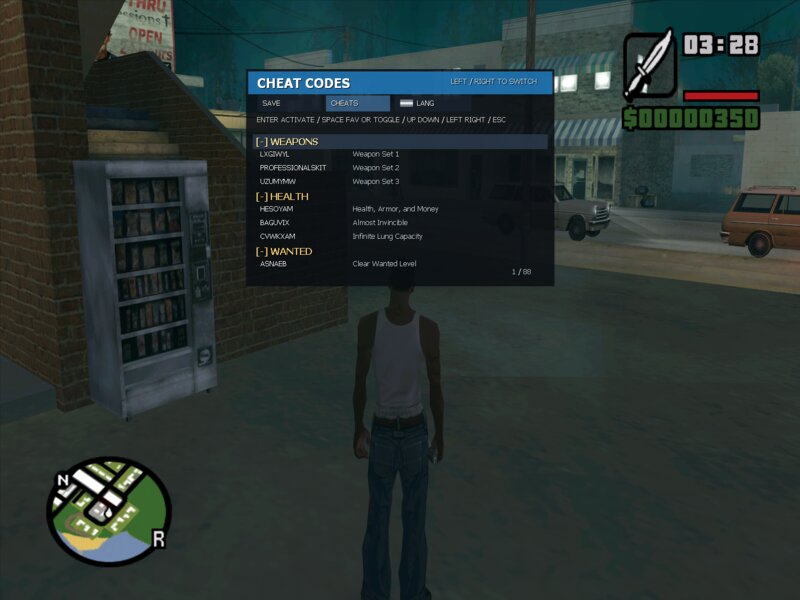
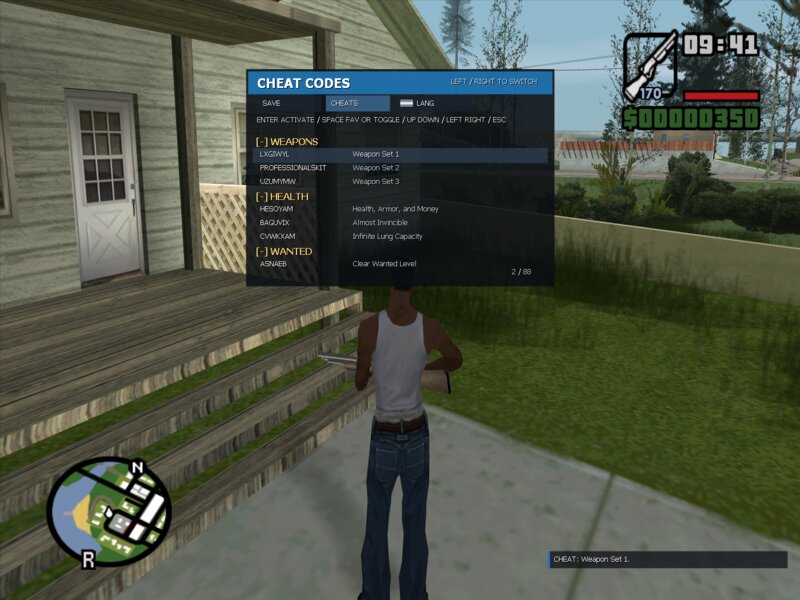
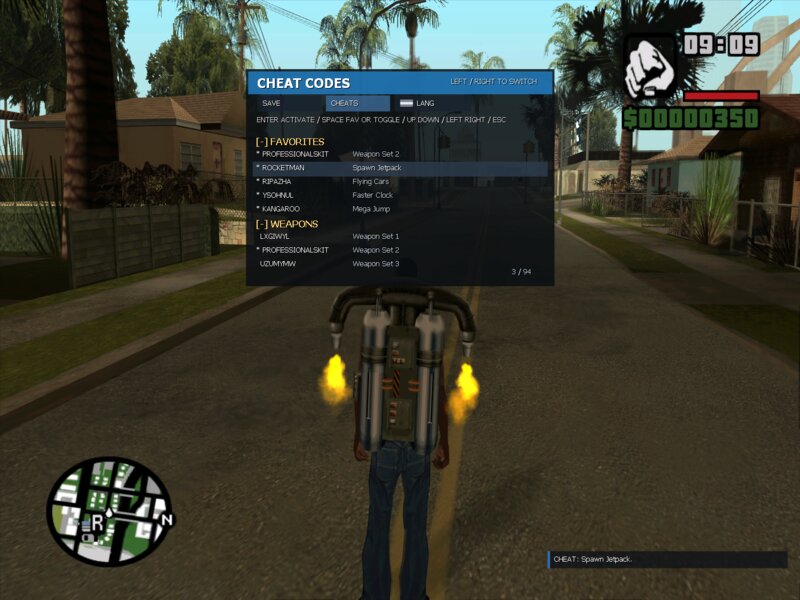
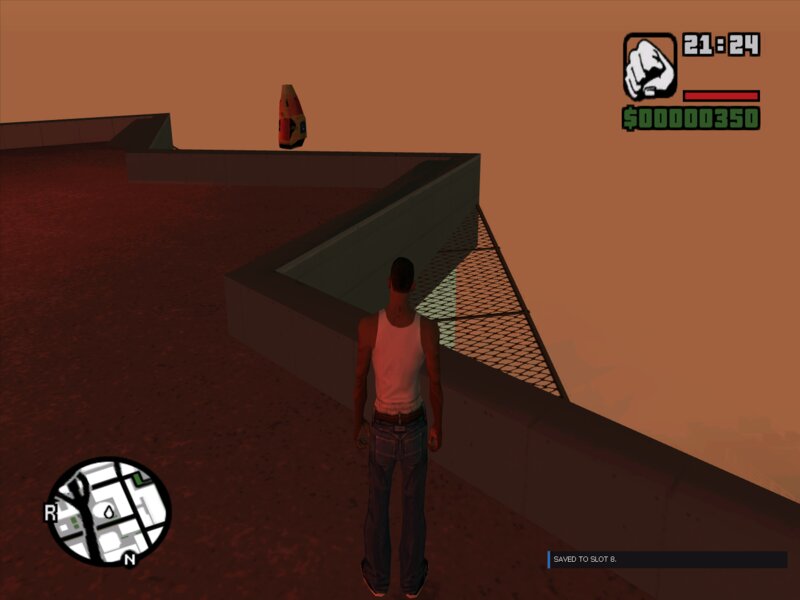
SaveAnywhereSA is a GTA San Andreas ASI mod for fast saving, fast loading, cheat access, favorites, and language switching directly in gameplay.
Added a vehicle auto-save restore feature. If the player saves near a vehicle, the mod stores its state and attempts to restore or respawn it after loading, so cars and bikes are easier to keep between quick saves and quick loads.
## What the mod can do
- Fast save and fast load with hotkeys
- Save into selected slots from an in-game menu
- Load selected slots without opening the original GTA save menu
- Set a quick slot for repeated use
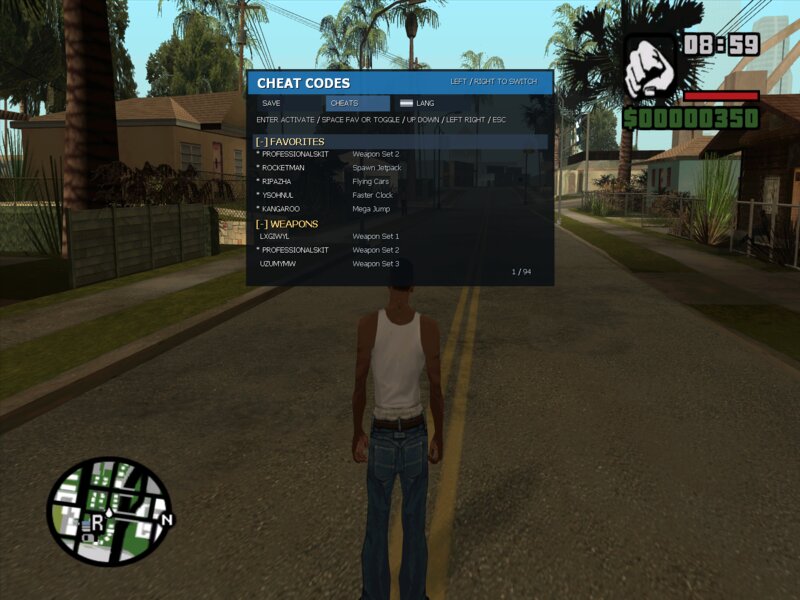
- Open a categorized cheat menu
- Activate cheats with `Enter`
- Add cheats to favorites and keep them saved between sessions
- Switch the mod language inside the mod menu
- Use a multilingual interface with custom HUD notifications
## Why it is useful
- Great for normal play when you want faster saves and loads
- Useful for mod testing and repeated gameplay checks
- Convenient for players who often use cheats and want favorites in one place
- Especially useful for bloggers, YouTubers, and content creators who record highlights, stunts, cinematic scenes, challenge runs, or funny moments
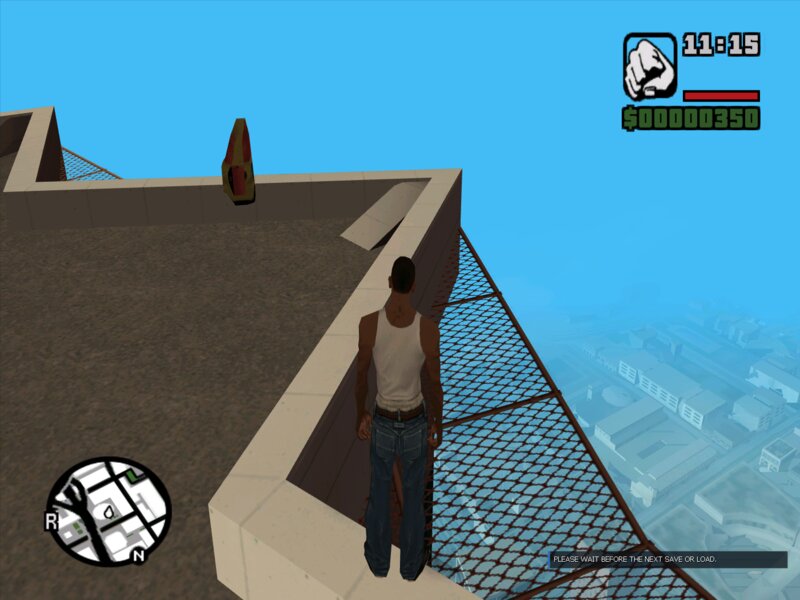
Instead of running all the way back to a setup point, rooftop, jump location, or recording position, you can save once and reload instantly whenever needed. This saves time, makes retakes easier, and keeps recording smooth.
## Dependencies
To use the mod, you only need:
- GTA San Andreas 1.0 US
- [Ultimate ASI Loader](https://github.com/ThirteenAG/Ultimate-ASI-Loader)
- `SaveAnywhereSA.asi`
- `SaveAnywhereSA.ini`
## Installation
1. Install [Ultimate ASI Loader](https://github.com/ThirteenAG/Ultimate-ASI-Loader)
https://github.com/ThirteenAG/Ultimate-ASI-Loader/releases/download/v9.7.1/Ultimate-ASI-Loader.zip
2. Put `SaveAnywhereSA.asi` into the `scripts` folder in the game directory
3. Put `SaveAnywhereSA.ini` into the `scripts` folder in the game directory
The files should be placed here:
- `...\GTA San Andreas\scripts\SaveAnywhereSA.asi`
- `...\GTA San Andreas\scripts\SaveAnywhereSA.ini`
## Short description
SaveAnywhereSA is a quality-of-life GTA San Andreas mod focused on speed, convenience, and repeatable gameplay. It is useful both for regular players and for creators who need to return to the same moment quickly without wasting time.
SaveAnywhereSA is a GTA San Andreas ASI mod for fast saving, fast loading, cheat access, favorites, and language switching directly in gameplay.
Added a vehicle auto-save restore feature. If the player saves near a vehicle, the mod stores its state and attempts to restore or respawn it after loading, so cars and bikes are easier to keep between quick saves and quick loads.
## What the mod can do
- Fast save and fast load with hotkeys
- Save into selected slots from an in-game menu
- Load selected slots without opening the original GTA save menu
- Set a quick slot for repeated use
- Open a categorized cheat menu
- Activate cheats with `Enter`
- Add cheats to favorites and keep them saved between sessions
- Switch the mod language inside the mod menu
- Use a multilingual interface with custom HUD notifications
## Why it is useful
- Great for normal play when you want faster saves and loads
- Useful for mod testing and repeated gameplay checks
- Convenient for players who often use cheats and want favorites in one place
- Especially useful for bloggers, YouTubers, and content creators who record highlights, stunts, cinematic scenes, challenge runs, or funny moments
Instead of running all the way back to a setup point, rooftop, jump location, or recording position, you can save once and reload instantly whenever needed. This saves time, makes retakes easier, and keeps recording smooth.
## Dependencies
To use the mod, you only need:
- GTA San Andreas 1.0 US
- [Ultimate ASI Loader](https://github.com/ThirteenAG/Ultimate-ASI-Loader)
- `SaveAnywhereSA.asi`
- `SaveAnywhereSA.ini`
## Installation
1. Install [Ultimate ASI Loader](https://github.com/ThirteenAG/Ultimate-ASI-Loader)
https://github.com/ThirteenAG/Ultimate-ASI-Loader/releases/download/v9.7.1/Ultimate-ASI-Loader.zip
2. Put `SaveAnywhereSA.asi` into the `scripts` folder in the game directory
3. Put `SaveAnywhereSA.ini` into the `scripts` folder in the game directory
The files should be placed here:
- `...\GTA San Andreas\scripts\SaveAnywhereSA.asi`
- `...\GTA San Andreas\scripts\SaveAnywhereSA.ini`
## Short description
SaveAnywhereSA is a quality-of-life GTA San Andreas mod focused on speed, convenience, and repeatable gameplay. It is useful both for regular players and for creators who need to return to the same moment quickly without wasting time.
Комментарии
Опубликовано комментариев: 1.


04/11/2026 19:46
Added a vehicle auto-save restore feature. If the player saves near a vehicle, the mod stores its state and attempts to restore or respawn it after loading, so cars and bikes are easier to keep between quick saves and quick loads.
Цитировать | Ответить | (0)
Added a vehicle auto-save restore feature. If the player saves near a vehicle, the mod stores its state and attempts to restore or respawn it after loading, so cars and bikes are easier to keep between quick saves and quick loads.
Цитировать | Ответить | (0)