San Andreas / Скины / Новый вид / модель
Silence Suzuka (Uma Musume)
- Fookie_00 | загрузил Fookie_00
- 01/03/2026
- 2013 Скачивания
Оценки:
Сначала войди в аккаунт.
Избранное:
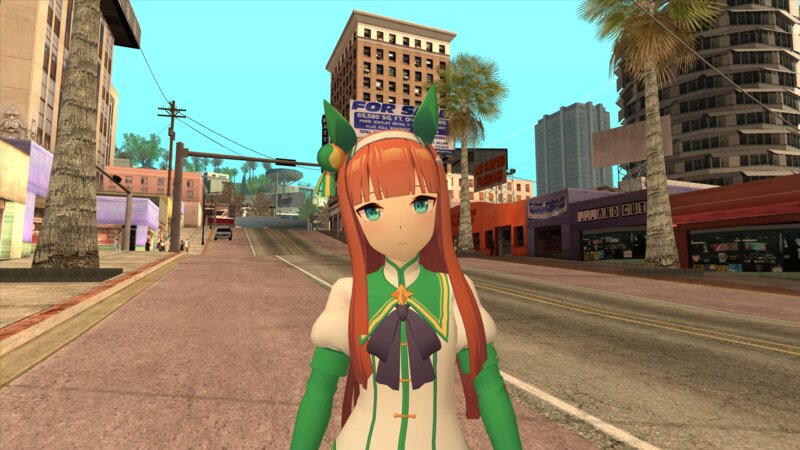
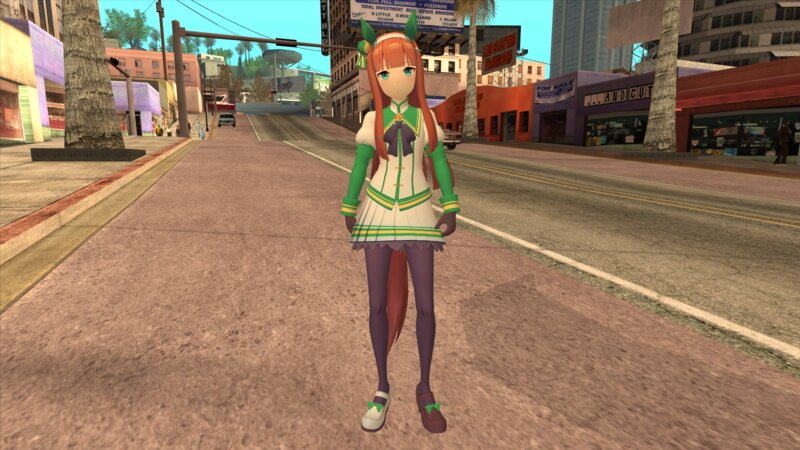
Видео
Видео пока не добавлены.Войди в аккаунт, чтобы добавить видео к этому моду.
Комментарии
Опубликовано комментариев: 6.





01/04/2026 15:15
@XG417 Make sure to click on your mesh then check 'Export Custom Split Normals' in the object properties tab before exporting.
https://imgur.com/a/gIBXQ5f
Цитировать | Ответить | (1)
@XG417 Make sure to click on your mesh then check 'Export Custom Split Normals' in the object properties tab before exporting.
https://imgur.com/a/gIBXQ5f
Цитировать | Ответить | (1)
01/04/2026 13:58
@Fookie_00 Yoooo I've been looking for something like this! Thanks a bunch!!
Although my problem now is, while the plugin is working fine in Blender, whenever I export the model the normals never change in-game.
Цитировать | Ответить | (1)
@Fookie_00 Yoooo I've been looking for something like this! Thanks a bunch!!
Although my problem now is, while the plugin is working fine in Blender, whenever I export the model the normals never change in-game.
Цитировать | Ответить | (1)
01/04/2026 10:21
@XG417 I am using a Blender plugin called BNPR Abnormal to smooth the normals on the face. If you're interested I'm leaving a link below that shows the method I use to achieve that.
https://bnpr.gitbook.io/bnpr/shaders/toon-shading-nbpr-abnormal-normal-sphering
Цитировать | Ответить | (1)
@XG417 I am using a Blender plugin called BNPR Abnormal to smooth the normals on the face. If you're interested I'm leaving a link below that shows the method I use to achieve that.
https://bnpr.gitbook.io/bnpr/shaders/toon-shading-nbpr-abnormal-normal-sphering
Цитировать | Ответить | (1)
01/03/2026 17:59
I've been wondering - how'd you get the Normals on the face to be so smooth? It's not showing any edge shadows like other anime-type models I see
Цитировать | Ответить | (1)
I've been wondering - how'd you get the Normals on the face to be so smooth? It's not showing any edge shadows like other anime-type models I see
Цитировать | Ответить | (1)