San Andreas / Моды / Моды
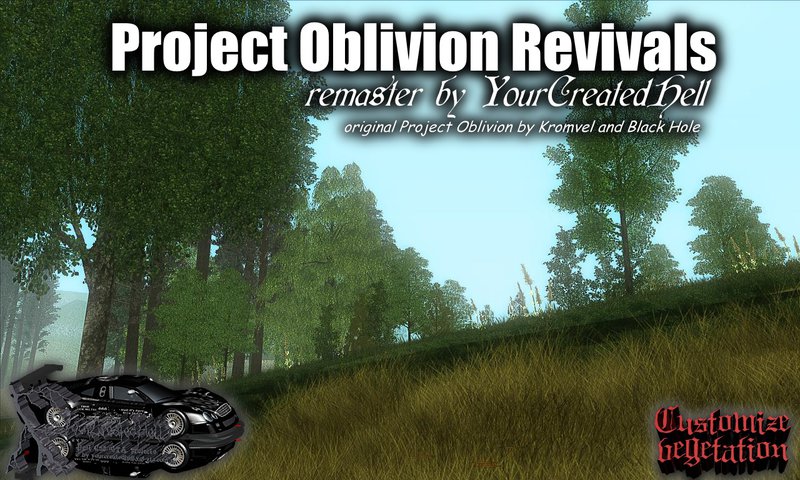
Project Oblivion Revivals - Demo 1
- YourCreatedHell, kromvel, Black Hole | загрузил YourCreatedHell
- yourcreatedhell.clan.su/
- 05/24/2016
- 8743 Скачивания
Оценки:
Сначала войди в аккаунт.
Избранное:
Videos

Войди в аккаунт, чтобы добавить видео к этому моду.
Описание
1. About the modification.
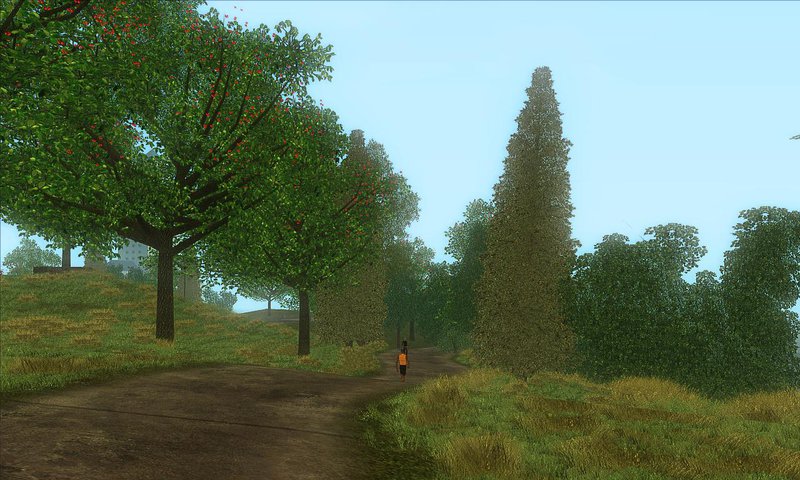
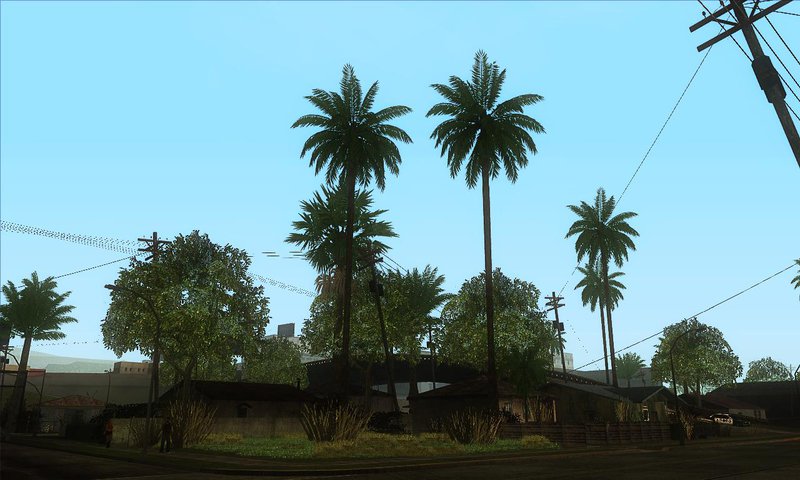
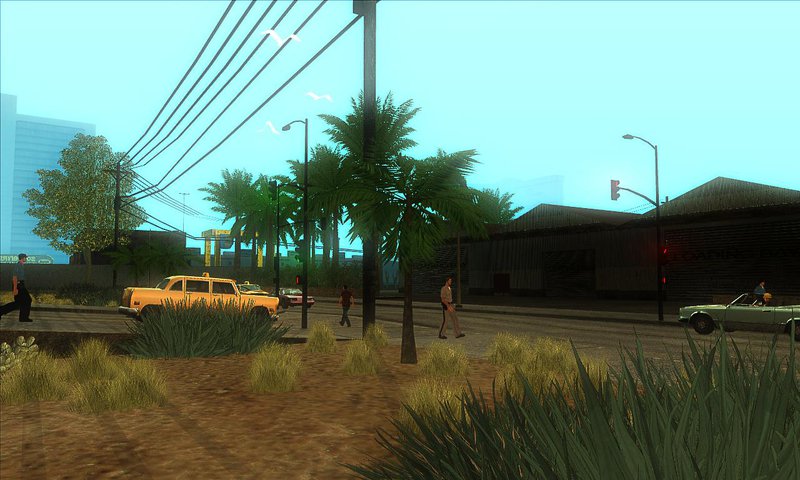
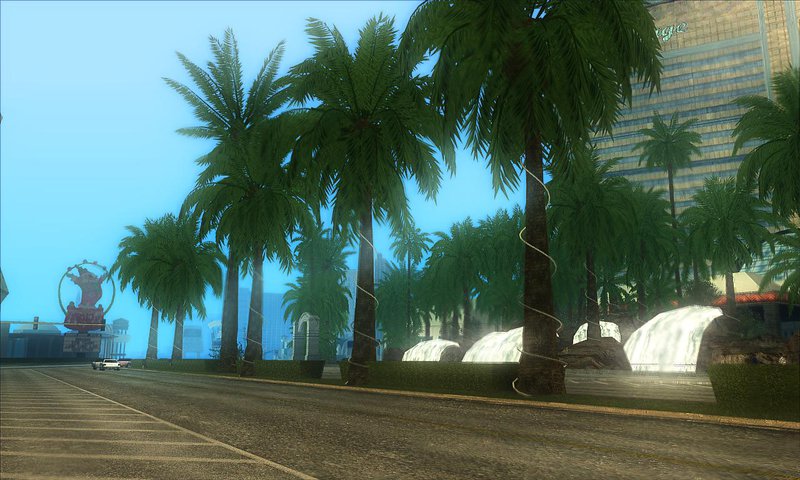
Influenced by and inspired modifications Project Oblivion, YourCreatedHell did his modification Behind Space Of Realities. Over time, Behind Space Of Realities changed and acquired many of its features, Project Oblivion has stopped its development in 2010.
Remaster idea arose in April 2016. The concept of remaster was to fix Project Oblivion and supplement that he possessed all the unique properties similar modifications Behind Space Of Realities. And he, Project Oblivion Revivals!
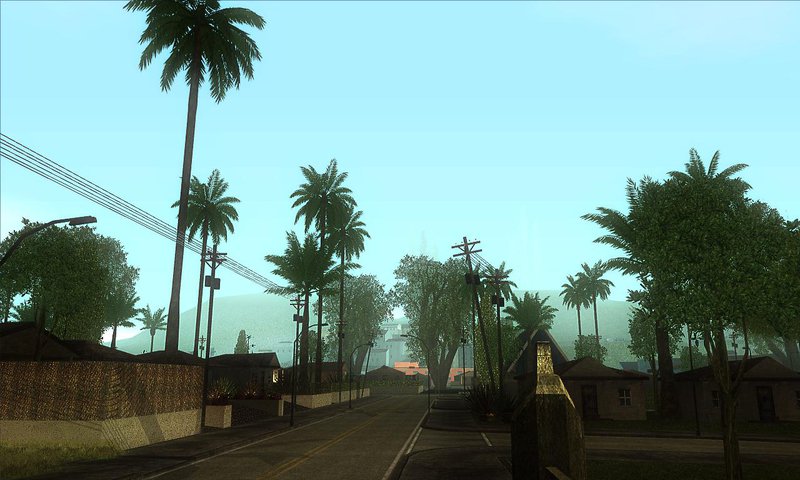
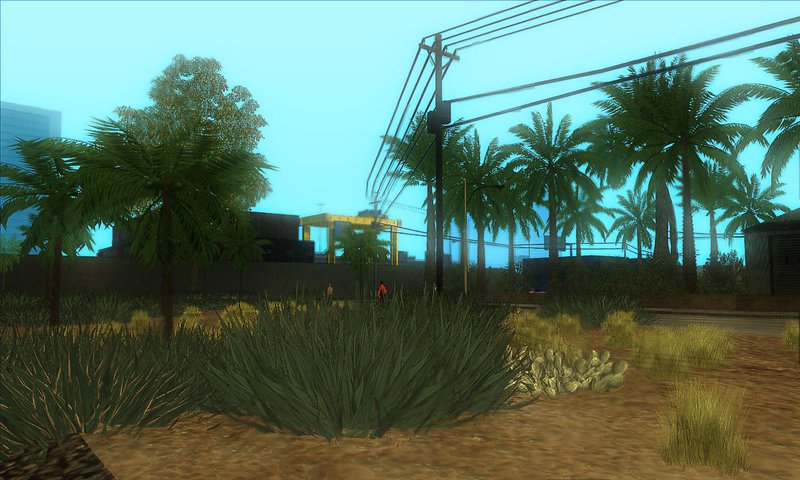
This is the first demo version. Almost all models are made from scratch and nothing remains of the original Project Oblivion. Project Oblivion Revivals repeats look of old Project Oblivion 2010 HQ. The main thing is that now the correct paint vertex and it is possible to freely combine modifications Behind Space Of Realities and Project Oblivion Revivals, get a unique assemblage of vegetation. As Behind Space Of Realities, is now used by default mipmapping.
Although this is a demo version, but it is fully functional. In the final version you will find: limited resolution textures, seasons (autumn and winter), a bonus island, underwater world and improved settings generations of vegetation.
2. Installation.
Replacement models:
- Replace the files in the archive gta3.img "C: \ Games \ GTA San Andreas \ models" on the files from the folder " GTA3.img ", in the contents of the archive using Alci's IMG Editor 1.5. After replacing the file, rebuild the file by clicking the "Rebuild" (Ctrl + R). Note that before installing the need to define itself with part of vegetation.
Changing settings:
- From the folder "Main" copy folder data in the game folder, confirm the replacement of files.
Installation grasses:
- From the folder "Main" copy folder models in the game folder, confirm the replacement of files.
3. Notes.
If you want to use the models from a Behind Space Of Realities, in any case, do not use parts of vegetation, which are listed below:
- 19, Bushland
- 21, Flowers
- 25, Fuzzyplant
- 26, Ferns
- 27, Grassland
- 28, Rushes
- 29, Grasslanda
Influenced by and inspired modifications Project Oblivion, YourCreatedHell did his modification Behind Space Of Realities. Over time, Behind Space Of Realities changed and acquired many of its features, Project Oblivion has stopped its development in 2010.
Remaster idea arose in April 2016. The concept of remaster was to fix Project Oblivion and supplement that he possessed all the unique properties similar modifications Behind Space Of Realities. And he, Project Oblivion Revivals!
This is the first demo version. Almost all models are made from scratch and nothing remains of the original Project Oblivion. Project Oblivion Revivals repeats look of old Project Oblivion 2010 HQ. The main thing is that now the correct paint vertex and it is possible to freely combine modifications Behind Space Of Realities and Project Oblivion Revivals, get a unique assemblage of vegetation. As Behind Space Of Realities, is now used by default mipmapping.
Although this is a demo version, but it is fully functional. In the final version you will find: limited resolution textures, seasons (autumn and winter), a bonus island, underwater world and improved settings generations of vegetation.
2. Installation.
Replacement models:
- Replace the files in the archive gta3.img "C: \ Games \ GTA San Andreas \ models" on the files from the folder " GTA3.img ", in the contents of the archive using Alci's IMG Editor 1.5. After replacing the file, rebuild the file by clicking the "Rebuild" (Ctrl + R). Note that before installing the need to define itself with part of vegetation.
Changing settings:
- From the folder "Main" copy folder data in the game folder, confirm the replacement of files.
Installation grasses:
- From the folder "Main" copy folder models in the game folder, confirm the replacement of files.
3. Notes.
If you want to use the models from a Behind Space Of Realities, in any case, do not use parts of vegetation, which are listed below:
- 19, Bushland
- 21, Flowers
- 25, Fuzzyplant
- 26, Ferns
- 27, Grassland
- 28, Rushes
- 29, Grasslanda
Комментарии
Опубликовано комментариев: 10.

09/12/2016 20:54
because you do not replace dat files
Цитировать | Ответить | (0)
Quote: Shining Monkey
Some plants are white
because you do not replace dat files
Цитировать | Ответить | (0)



05/27/2016 13:17
А можно скриншоты?
Цитировать | Ответить | (1)
Quote: YourCreatedHellQuote: arthuros_mazonakis
Вот бы ты сделал пак растительности из GTA V
Я сделал давно пальмы и кипарисы из GTA V.
А можно скриншоты?
Цитировать | Ответить | (1)

05/26/2016 00:57
Я сделал давно пальмы и кипарисы из GTA V.
Цитировать | Ответить | (1)
Quote: arthuros_mazonakis
Вот бы ты сделал пак растительности из GTA V
Я сделал давно пальмы и кипарисы из GTA V.
Цитировать | Ответить | (1)