San Andreas / Моды / Моды
EasyFont v1.2 TTF_OTF HD Font System for SA_VC_III
- CharlesVercetti | загрузил CharlesVercetti
- spilledout.cc/gtamodding/20...
- 11/11/2026
- 68 Скачивания
Оценки:
Сначала войди в аккаунт.
Избранное:
Видео
Войди в аккаунт, чтобы добавить видео к этому моду.
Описание
EasyFont v1.2
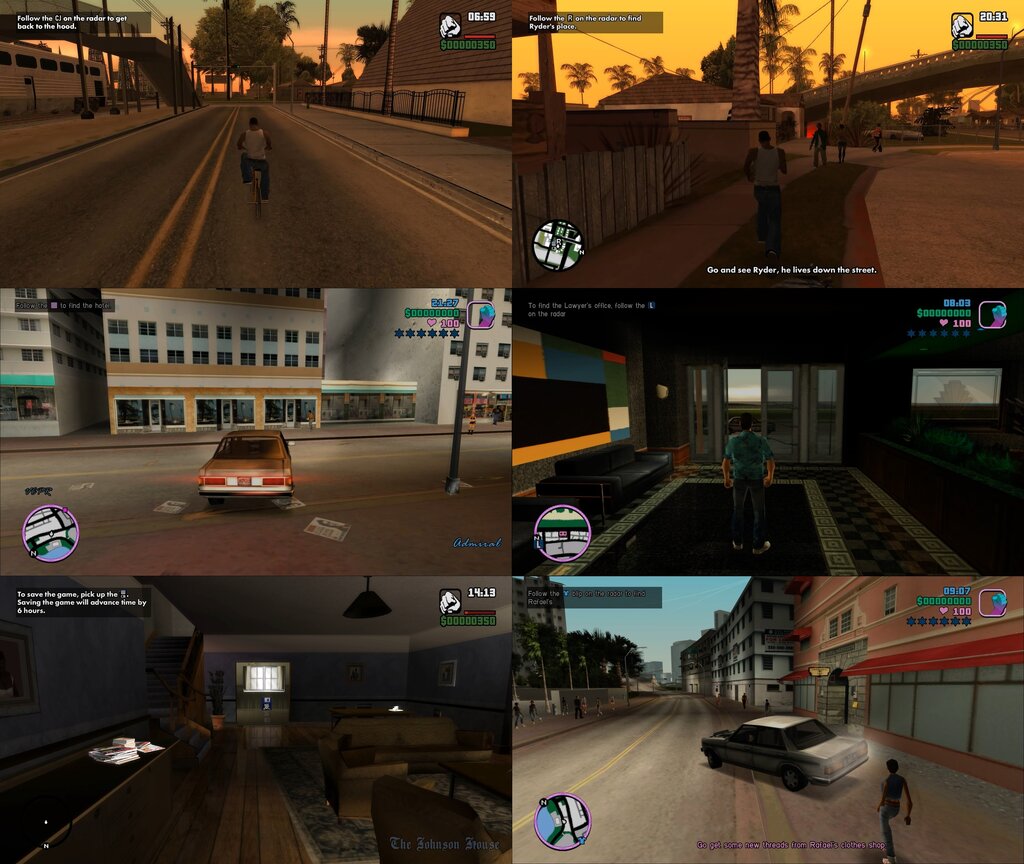
TTF/OTF Font Rendering System that replaces existing bitmap system for GTA III,VC and SA.
Changelog v1.2:
- Added GTAVI font presets.
- Added DirectImageRasterizer integration to render button sprites and symbols directly from .png.
- Fixed y-axis alignment issues.
- Fixed certain config preset values.
Overview:
- Replace the bitmap font system used in the OG GTA Trilogy with high-quality replaceable TTF/OTF font equivalents!
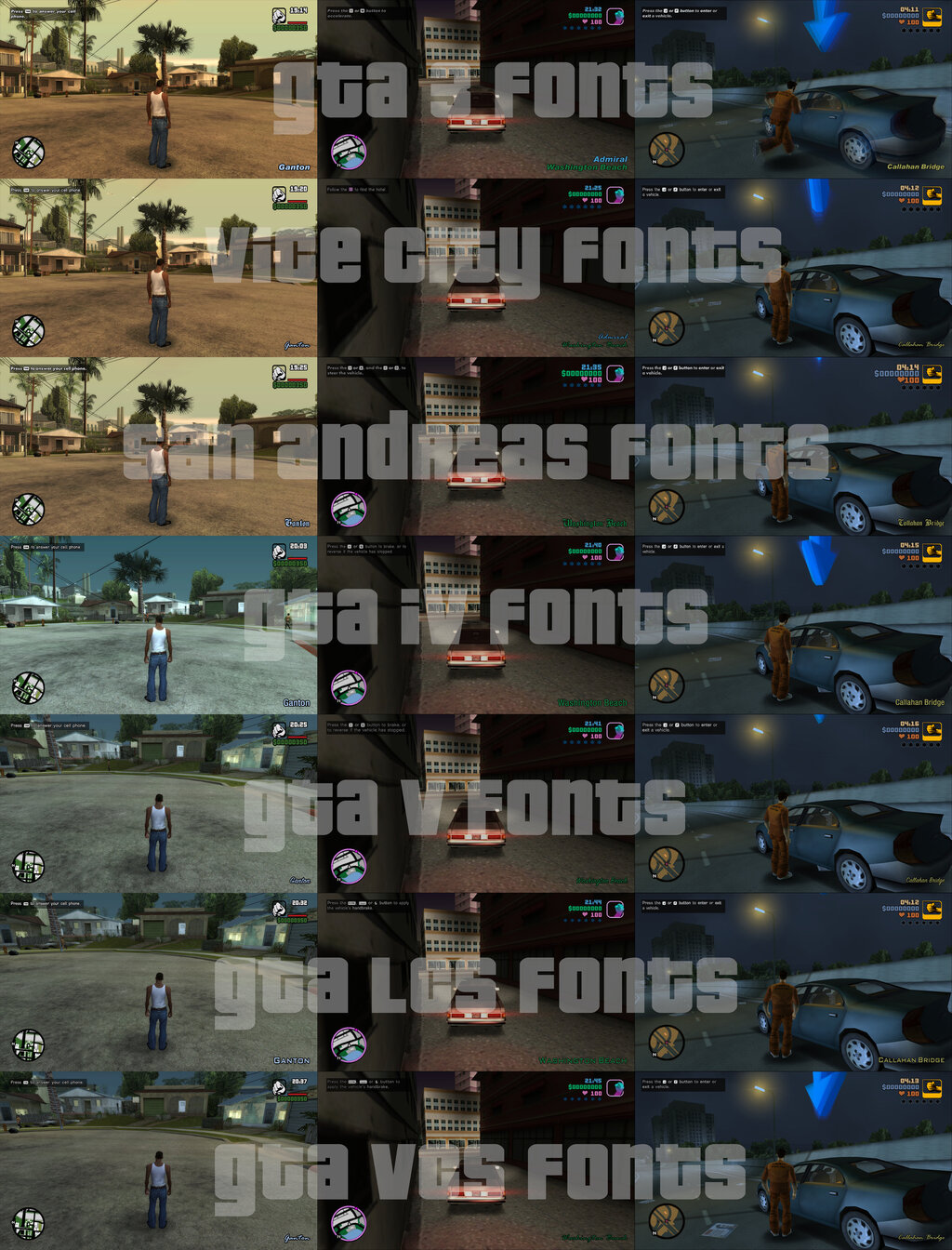
- Try GTA game fontstyle defaults (or) Try your favourite custom font styles!
- Game specific buttons – now PC buttons get their dedicated button sprites like console. Each game gets their own styled buttons.
- GInput support for controller buttons.
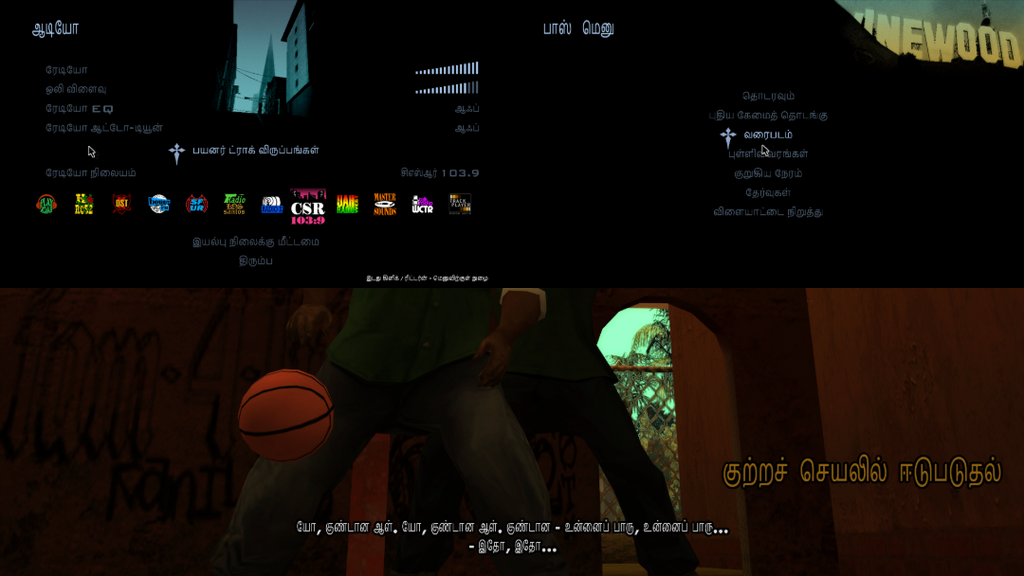
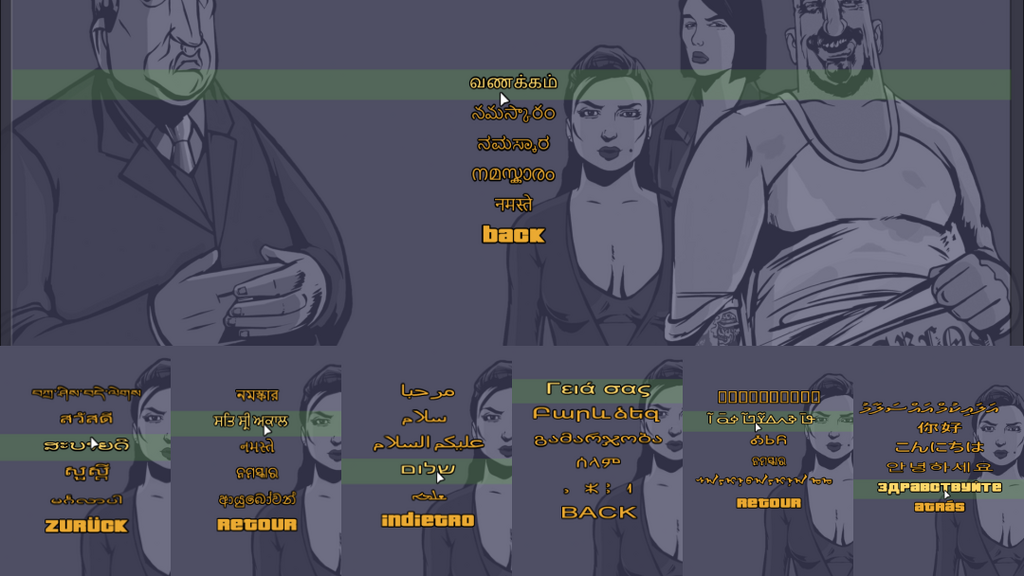
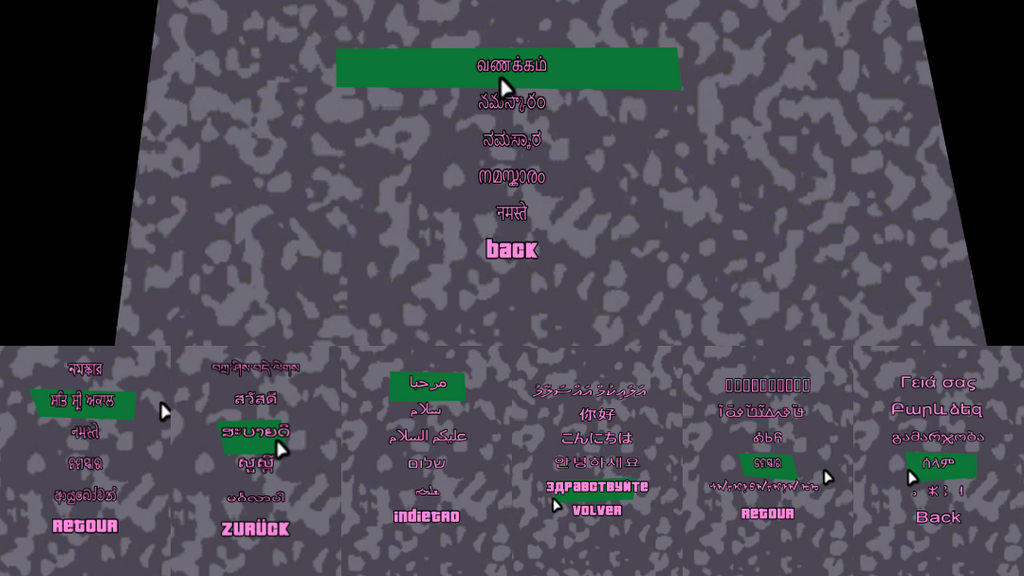
- Complex Unicode character support – upto 40 language character sets tested. Screenshots below.
- FontStyleHooks – mapped the complete 60+ CFont::SetFontStyle calls in GTA3/VC/SA. Adjust their font styles on the go during runtime!
- Using FontStyleHooks – enable VCFontStyleHooks in GTA3 – allowing usage of 3 different fonts for HUD elements. You must enable this to use VC/SA/etc font style defaults correctly in GTA3.
- With help of EasyGXT, bring localization support to any language across the globe. Latin and Unicode, Left to Right or Right to Left – both supported.
Configurable Features:
- Assign upto 4 fonts across games.
- Button icons in place of button text.
- Blip icons in place of blip descriptions. (VC/SA)
- Key to reload font settings in-game on the fly (Virtual Key code)
- Choose a Rendering method (1 = D3DX font sprite, 2 = GDI sprite)
- Replace text shadow with outline (1 = shadow size, >1 = exact thickness)
- Force uniform scaling for all fonts (1 = enable, 0 = disable)
- Force preconfigure default settings override for game style (-1 = off, 0 = GTA III, 1 = GTA VC, 2 = GTA SA, 3 = GTA IV, 4 = GTA V, 5 = GTA LCS, 6 = GTA VCS)
- Smooth outline quality (number of sampling points in a circle, e.g. 16)
- Outline size multiplier (defaults: 1.0f for III/VC, 2.0f for SA)
- Size scale multiplier of prompt buttons (default: 0.85)
- Override outline thickness (GTA SA only, -1 to disable)
- Enable Bidirectional & RTL layout support for Arabic/Hebrew/Urdu/Farsi (1 = enable, 0 = disable)
- Position offset (X Y) for Health/Armor HUD symbols
- Position offset (X Y) for Wanted star HUD symbols
- Scale multiplier (X Y) for Health/Armor symbols
- Scale multiplier (X Y) for Wanted star symbols
- Disable character slant/italic slant rendering (VC slanted location/vehicle texts)
- Follow natural character widths globally (1 = enable, 0 = disable) (useful for Unicode languages)
- Global Y coordinate offset for text rendering (tweak to adjust y-coord of PrintString)
- TrueType Font (.ttf or .otf) file name (give the correct file name – otherwise Arial will appear as fallback font)
- Font character set index (choose the character set in the .ttf/.otf file)
- Font size (height in pixels)
- Font width in pixels (0 for default)
- Antialiasing quality setting
- Width of space character (0 for default)
- Render font in italic (1 = enable, 0 = disable)
- Font weight (e.g. 400 = Normal, 700 = Bold)
- Line height spacing multiplier (0.0 for default)
- GXT token color adjustments – adjust the colors that modify text color when a GXT token like ~q~ is used.
- Font Style numbers for various calls (0,1,2,3) in font_styles.ini.
Using system fonts:
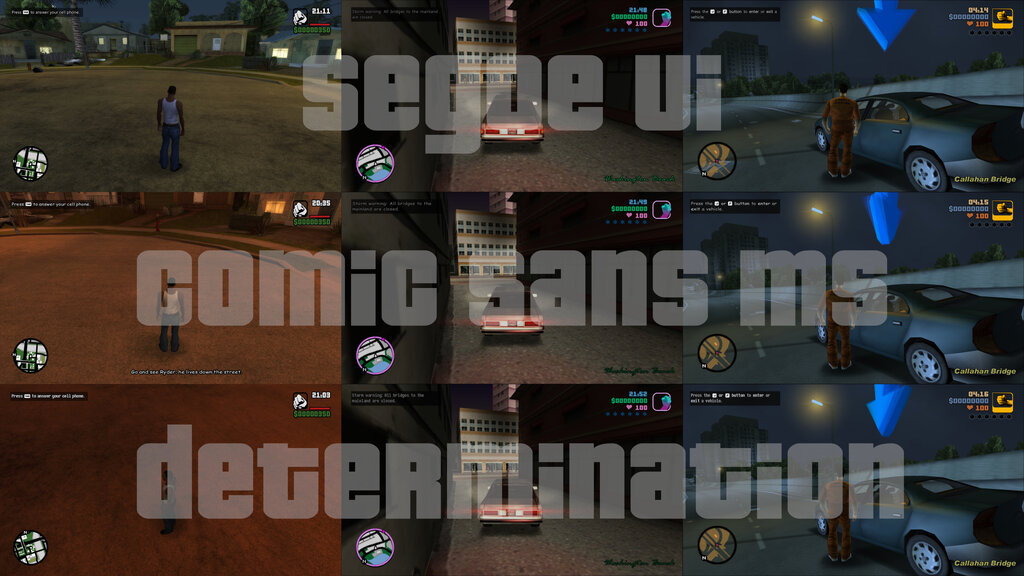
- You can also use preinstalled system fonts. Just replace the font file name in font_ttf.ini with the one present in C:/Windows/Fonts folder. I have given 3 samples.
- Segoe UI – Windows UI font.
- Comic Sans MS – popular goofy design font.
- Determination (not a system font, not a GTA font) – a pixel font used in popular indie games Undertale and Deltarune. This font is used in place of Pager font as default in GTA3.
Blip icons in place of text:
Certain text describing blips are now replaced with actual blip sprites present in models/blips.txd.
Square, triangle blips are drawn at runtime. This feature is only present in GTAVC/SA.
III doesn't have a proper blip description as far as I saw.
Localization with EasyGXT:
Due to TTF font support with Windows native font system, EasyFont allows usage of Unicode supported language characters. I have tested upto 40 non-Latin script languages all over the world and EasyFont can accurately draw the characters. You need to manually adjust the dimensions to suit your taste though. By default, these language characters will be drawn using standard system fonts – you can also name a specific font – if you have a copy of the .ttf/.otf or its installed in the system.
For SA, adjust encoding to UTF8 before trying a Unicode language. Native ANSI 1252 encoding is necessary to display accented characters correctly – so switch that if you want to run Spanish GXT.
I also provided a custom Beckett font containing accented chars for Spanish GXT.
III and VC come with wide character support – so they natively support UTF16-LE encoding.
AddOns included:
Plugin which patches key HUD elements to be more like Definitive Edition. Generates config to adjust values of those elements. Used in the demo video and screenshots.
ReMessages.VC.asi:Fixes a stack queue corruption associated with CMessages in GTAVC. Don’t remove this or you will get a crash while riding an ambulance.
Комментарии
Опубликовано комментариев: 0.