San Andreas / Моды / ENB Series
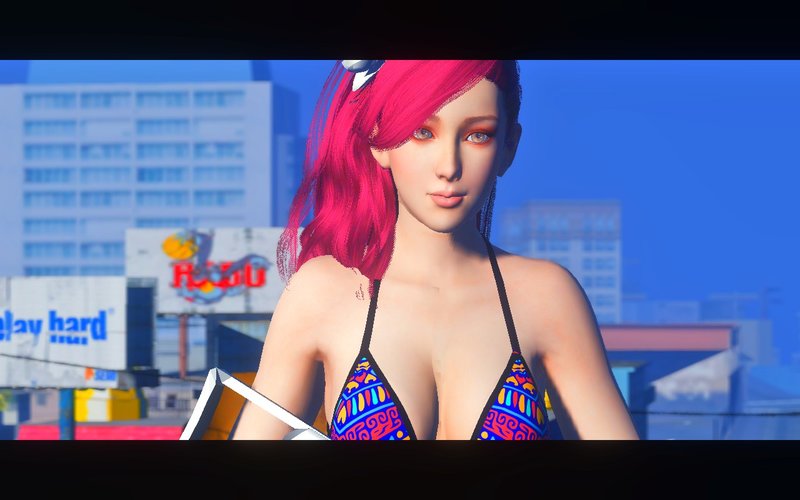
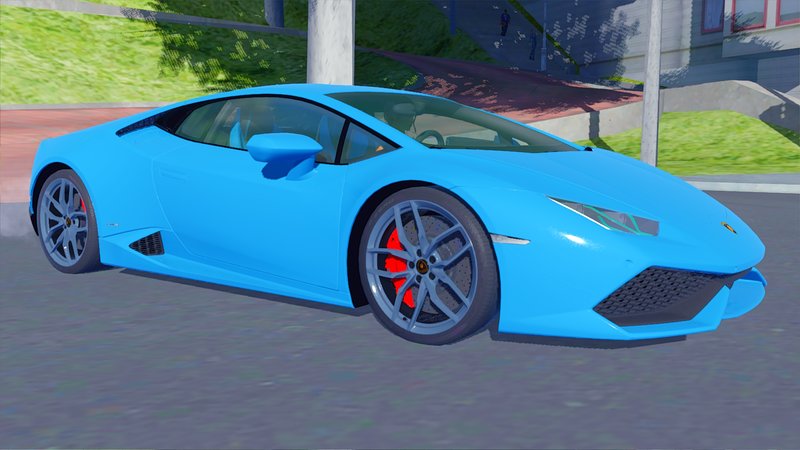
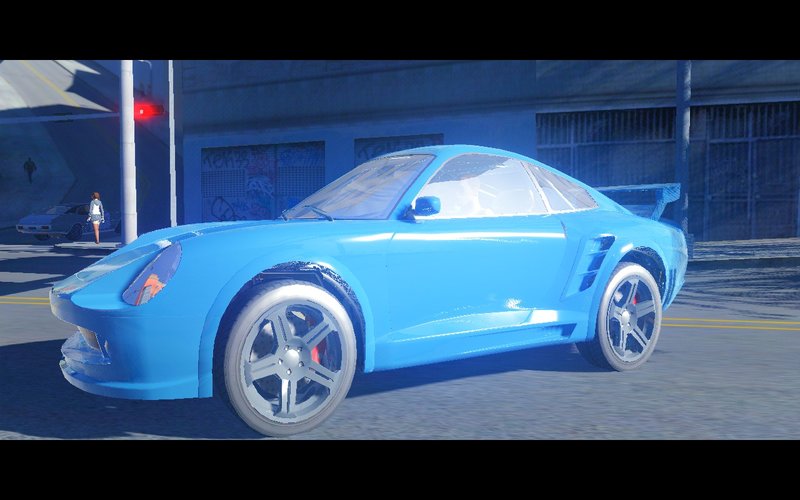
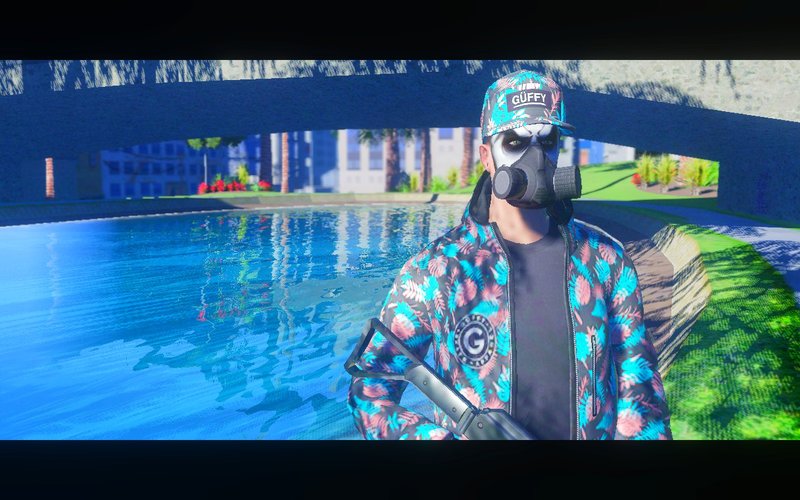
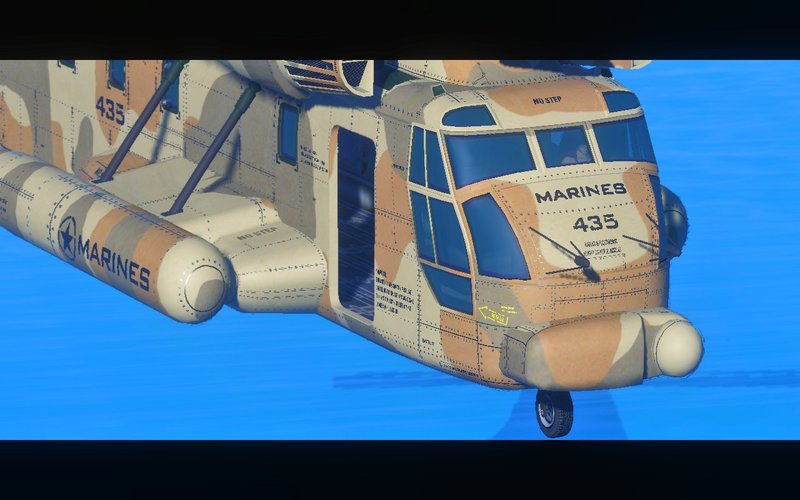
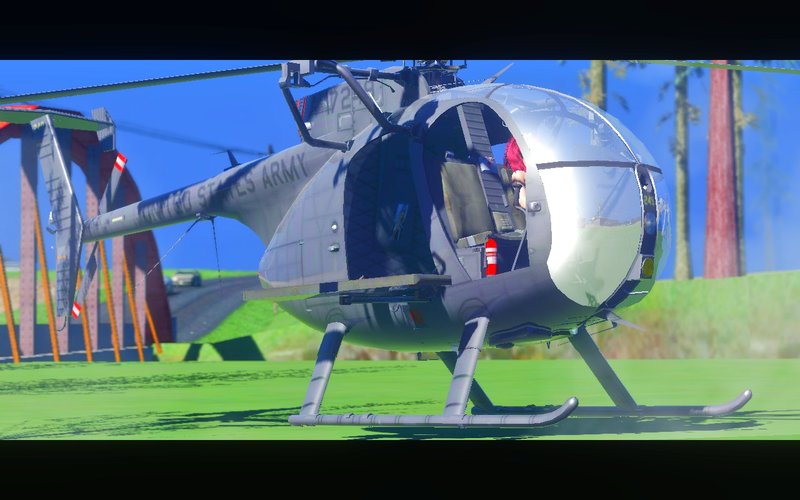
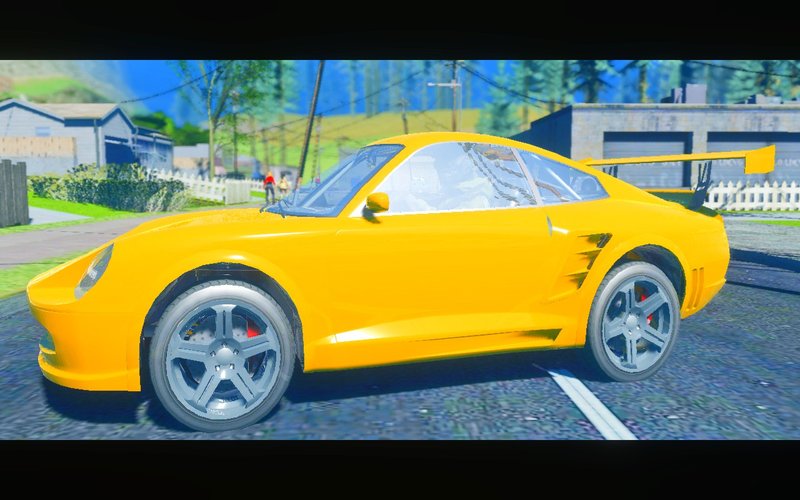
NEXT-GENETA V1
- NanohTheGreat | загрузил NanohTheGreat
- youtube.com/channel/UCJLP_9...
- 08/14/2018
- 10013 Скачивания
Оценки:
Сначала войди в аккаунт.
Избранное:
Видео
Видео пока не добавлены.Войди в аккаунт, чтобы добавить видео к этому моду.
Описание
- My mod is based on RenderHook and an advanced configuration of ReShade + MasterEffect.
There are three versions adapted according to the power of your PC: LOW, NORMAL and ULTRA.
- Ultra:
Advanced process requiring a powerful PC, Ambient Occlusion, DOF and more ... Use at your own risk.
- Normal:
Native process, optimized for a medium PC, DOF and more ...
- LOW:
Process for weak PCs, since everyone can’t afford a good PC, it's for you.
* HOW TO INSTALL:
-Copy all the files from the folder to your GTA SA directory.
-For those on Windows 10.8, copy all the files from the COMPTABILITY folder to your GTA SA directory.
-If the game refuses to open go to your folder "My Documents / Gta San Andreas User Files" and delete "gta.sa.set".
-If the game lag terribly, test it on CLEAN GTA, sometimes some texture like trees cause a conflict and slow the game.
* RESHADE AND MASTER EFFECT:
- RESHADE:
- To activate Reshade you have to open "ReShade.ini" and complete the Paths of TextureSearchPaths / EffectSearchPaths (with the folder Reshade-Shaders textures / shaders)
and complete the path of "Preset Files" by Nanoh.ini.
It should give something like this: ==> TextureSearchPaths = D: \ MULTIMEDIA \ Game for Windows \ MWMII (ENG) \ MASTER EFFECT GTA \ reshade-shaders \ Textures
==> EffectSearchPaths = D: \ MULTIMEDIA \ Game for Windows \ MWMII (ENG) \ MASTER EFFECT GTA \ reshade-shaders \ Shaders.
PresetFiles = D: \ MULTIMEDIA \ Game for Windows \ MWMII (ENG) \ MASTER EFFECT GTA \ Nanoh.ini
- MASTER EFFECT:
Very simple to install MasterEffect, you do the same as with Reshade but only the path will be your GTA SA folder
Example ===> TextureSearchPaths = D: \ MULTIMEDIA \ Game for Windows \ MWMII (ENG) \ MASTER EFFECT GTA
==> EffectSearchPaths = D: \ MULTIMEDIA \ Game for Windows \ MWMII (ENG) \ MASTER EFFECT GTA
-FINAL :
Launch the game then, open with Reshade Shift + F2 and in the Reshade panel type "Nanoh.ini" in the search ... finish: D
There are three versions adapted according to the power of your PC: LOW, NORMAL and ULTRA.
- Ultra:
Advanced process requiring a powerful PC, Ambient Occlusion, DOF and more ... Use at your own risk.
- Normal:
Native process, optimized for a medium PC, DOF and more ...
- LOW:
Process for weak PCs, since everyone can’t afford a good PC, it's for you.
* HOW TO INSTALL:
-Copy all the files from the folder to your GTA SA directory.
-For those on Windows 10.8, copy all the files from the COMPTABILITY folder to your GTA SA directory.
-If the game refuses to open go to your folder "My Documents / Gta San Andreas User Files" and delete "gta.sa.set".
-If the game lag terribly, test it on CLEAN GTA, sometimes some texture like trees cause a conflict and slow the game.
* RESHADE AND MASTER EFFECT:
- RESHADE:
- To activate Reshade you have to open "ReShade.ini" and complete the Paths of TextureSearchPaths / EffectSearchPaths (with the folder Reshade-Shaders textures / shaders)
and complete the path of "Preset Files" by Nanoh.ini.
It should give something like this: ==> TextureSearchPaths = D: \ MULTIMEDIA \ Game for Windows \ MWMII (ENG) \ MASTER EFFECT GTA \ reshade-shaders \ Textures
==> EffectSearchPaths = D: \ MULTIMEDIA \ Game for Windows \ MWMII (ENG) \ MASTER EFFECT GTA \ reshade-shaders \ Shaders.
PresetFiles = D: \ MULTIMEDIA \ Game for Windows \ MWMII (ENG) \ MASTER EFFECT GTA \ Nanoh.ini
- MASTER EFFECT:
Very simple to install MasterEffect, you do the same as with Reshade but only the path will be your GTA SA folder
Example ===> TextureSearchPaths = D: \ MULTIMEDIA \ Game for Windows \ MWMII (ENG) \ MASTER EFFECT GTA
==> EffectSearchPaths = D: \ MULTIMEDIA \ Game for Windows \ MWMII (ENG) \ MASTER EFFECT GTA
-FINAL :
Launch the game then, open with Reshade Shift + F2 and in the Reshade panel type "Nanoh.ini" in the search ... finish: D
Комментарии
Опубликовано комментариев: 14.





09/16/2018 11:35
https://www.youtube.com/watch?time_continue=8&v=wTlW6HmJGeo
Цитировать | Ответить | (0)
https://www.youtube.com/watch?time_continue=8&v=wTlW6HmJGeo
Цитировать | Ответить | (0)

08/18/2018 14:25
@5 ALEX Yes this first version is oversaturated with blue / white but all this has been solved, it will take me a little more time to finalize version 2
Цитировать | Ответить | (1)
@5 ALEX Yes this first version is oversaturated with blue / white but all this has been solved, it will take me a little more time to finalize version 2
Цитировать | Ответить | (1)
08/18/2018 13:54
@DodyXR1555 Thank you bro but do not bother either haha! for the skin it's been several months since I downloaded it, there are hundreds in my PC
  , impossible to identify ...
Цитировать | Ответить | (1)
@DodyXR1555 Thank you bro
but do not bother either haha! for the skin it's been several months since I downloaded it, there are hundreds in my PC , impossible to identify ...Цитировать | Ответить | (1)




08/16/2018 09:53
@Derek45 Both are great to be honest. Everyone has their own taste of graphics mod. I personally prefer renderhook because of it's compatibility to Windows 10 and it has better performance. ENBSeries is also good but the way ENBSeries performs (especially SA_DX and most of all MMGE 3) is somewhat bad. It doesn't fully utilizing the GPU where Renderhook manages to use your overall power of your GPU.
Цитировать | Ответить | (2)
@Derek45 Both are great to be honest. Everyone has their own taste of graphics mod. I personally prefer renderhook because of it's compatibility to Windows 10 and it has better performance. ENBSeries is also good but the way ENBSeries performs (especially SA_DX and most of all MMGE 3) is somewhat bad. It doesn't fully utilizing the GPU where Renderhook manages to use your overall power of your GPU.
Цитировать | Ответить | (2)




08/14/2018 20:57
It looks magnificent!
Do we have a competitor to SA_DirectX 2.0??
Yeah we do!
Can you give me the link to the first skin?
Цитировать | Ответить | (1)
It looks magnificent!
Do we have a competitor to SA_DirectX 2.0??
Yeah we do!
Can you give me the link to the first skin?
Цитировать | Ответить | (1)