San Andreas / Моды / CLEO-моды
Video clip in the menu
- Seemann GeniusZ | загрузил devnobat
- 03/03/2022
- 4228 Скачивания
Оценки:
Сначала войди в аккаунт.
Избранное:
Videos

Войди в аккаунт, чтобы добавить видео к этому моду.
Описание
-----Description:-----
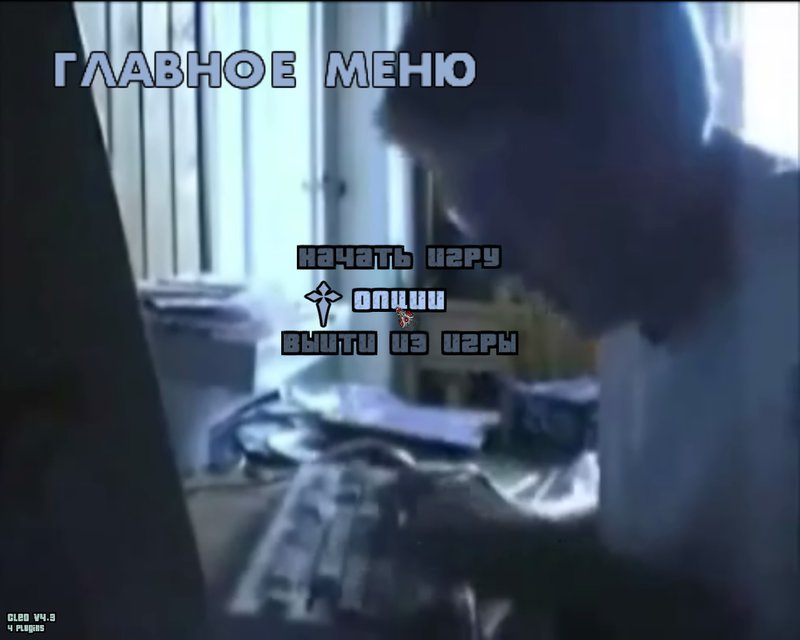
Now in the main menu and in the pause menu you will play video clip instead of boring pictures.
-----Installation:-----
hume.ini, hume.cleo - to the cleo folder (for this you need to download the CLEO 3 or CLEO 4 library).
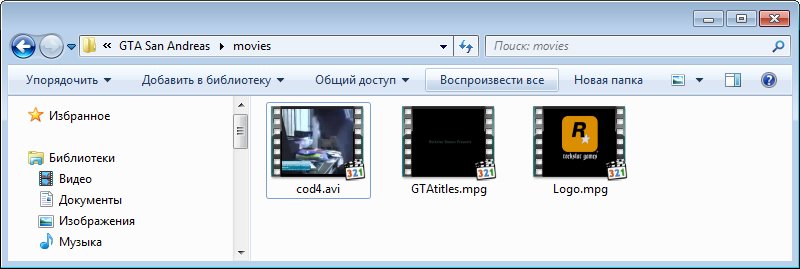
your video is in the movies folder.
-----Installation:------
1) We take a video (let's say the name of the video will be 123, and the format is avi)
2) We throw in the movies folder
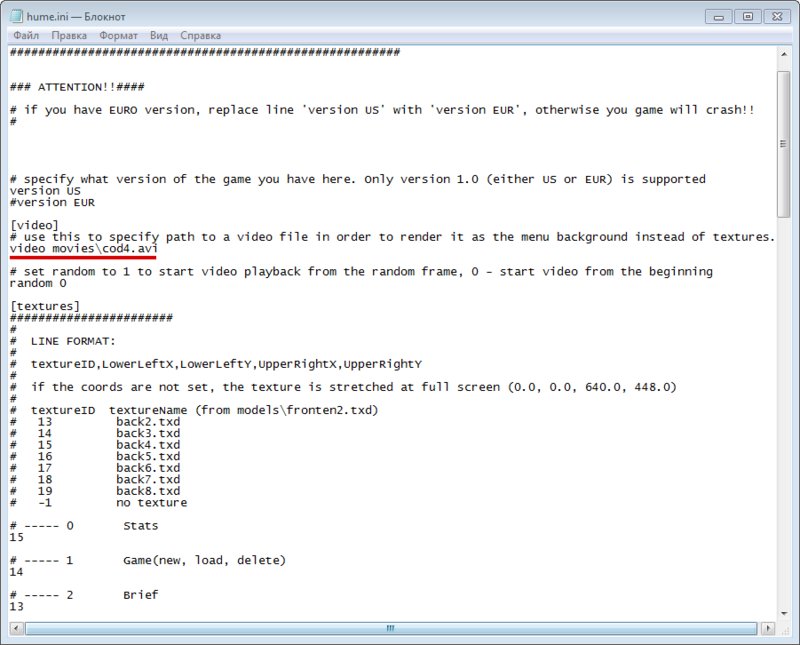
3) In the hume.ini file, find the line video movies\ and write the name of the video (123) and its format after the slash. It should look like this: video movies\123.avi
- The video will go WITHOUT SOUND! Because it's NOT SUPPOSED!
- Default video title is cod4.avi
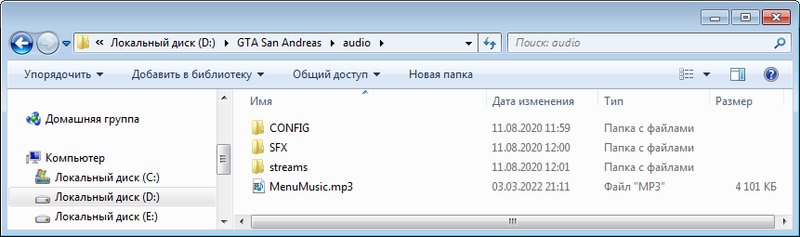
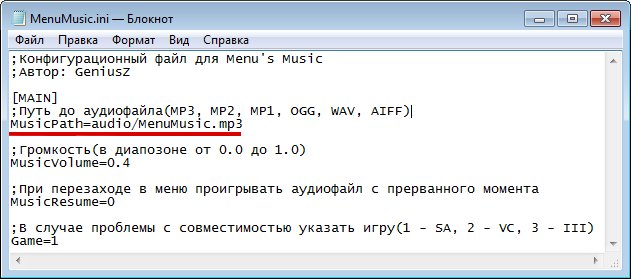
Update 04.03.22: Added (separate) audio track. When replacing the sound with your own, give it a name MenuMusic.mp3 (MP2, MP1, OGG, WAV, AIFF)
Support MP3, MP2, MP1, OGG, WAV, AIFF formats (Default MP3 format).
If you need it, then change the MenuMusic.ini file in the MusicPath=audio/MenuMusic.mp3 line to the desired format.
To extract MP3 from a video file, use the program Format Factory.
Now in the main menu and in the pause menu you will play video clip instead of boring pictures.
-----Installation:-----
hume.ini, hume.cleo - to the cleo folder (for this you need to download the CLEO 3 or CLEO 4 library).
your video is in the movies folder.
-----Installation:------
1) We take a video (let's say the name of the video will be 123, and the format is avi)
2) We throw in the movies folder
3) In the hume.ini file, find the line video movies\ and write the name of the video (123) and its format after the slash. It should look like this: video movies\123.avi
- The video will go WITHOUT SOUND! Because it's NOT SUPPOSED!
- Default video title is cod4.avi
Update 04.03.22: Added (separate) audio track. When replacing the sound with your own, give it a name MenuMusic.mp3 (MP2, MP1, OGG, WAV, AIFF)
Support MP3, MP2, MP1, OGG, WAV, AIFF formats (Default MP3 format).
If you need it, then change the MenuMusic.ini file in the MusicPath=audio/MenuMusic.mp3 line to the desired format.
To extract MP3 from a video file, use the program Format Factory.
Комментарии
Опубликовано комментариев: 9.





04/15/2022 10:18
@J9KER
Not Really
like some ytp thats what i wanted to put
Цитировать | Ответить | (0)
@J9KER
Not Really
like some ytp thats what i wanted to put
Цитировать | Ответить | (0)


03/05/2022 16:34
@DJILE The author is not me. I just combined 2 mods from different authors. For Vice City (as well as for 3) there is only a mod for music in the menu.
Цитировать | Ответить | (0)
@DJILE The author is not me. I just combined 2 mods from different authors. For Vice City (as well as for 3) there is only a mod for music in the menu.
Цитировать | Ответить | (0)