San Andreas / Моды / CLEO-моды
SA Vehicle Spawner 2
- eliab-kulot | загрузил eliab-kulot
- 04/04/2019
- 6285 Скачивания
Оценки:
Сначала войди в аккаунт.
Избранное:
Videos
Видео пока не добавлены.Войди в аккаунт, чтобы добавить видео к этому моду.
Описание
Update: (Jun-08-2019)
- fixed a critical bug when pressing to select a number that has no or a negative one (-1) entry to spawn a vehicle resulting to stop the game running without indicating an error.
- increase to five (5) the number of train-heads that can be added.
- NOTE (in case you don't know): When this type of error occurs in Windows, just press [Ctrl]-[Alt]-[Del], select "Start Task Manager" to bring up the Task Manager window, select "gta_sa.exe" then click "End Process" twice to go back to your desktop instead of rebooting.
-------------- Second Version (SA Vehicle_Spawner 2) --------------
What's new?
- Added vehicles can now be spawned!
- CJ will automatically be in a driving position when a train is spawn on the nearest train's track available. Additional keystrokes are needed to determine the train direction.
- Spawning a flying vehicle can be selected whether you want it spawn on the ground or in air.
- Detailed configuration setup is provided in the archive.
Overview of operation:
The same as the first version of "SA Vehicle_Spawner" (read below) except for the script will display a group of eight, instead of ten, vehicles' names to choose from.
Also included is a brief tutorial on how to add vehicle/s.
-------------- First Version (SA Vehicle_Spawner) --------------
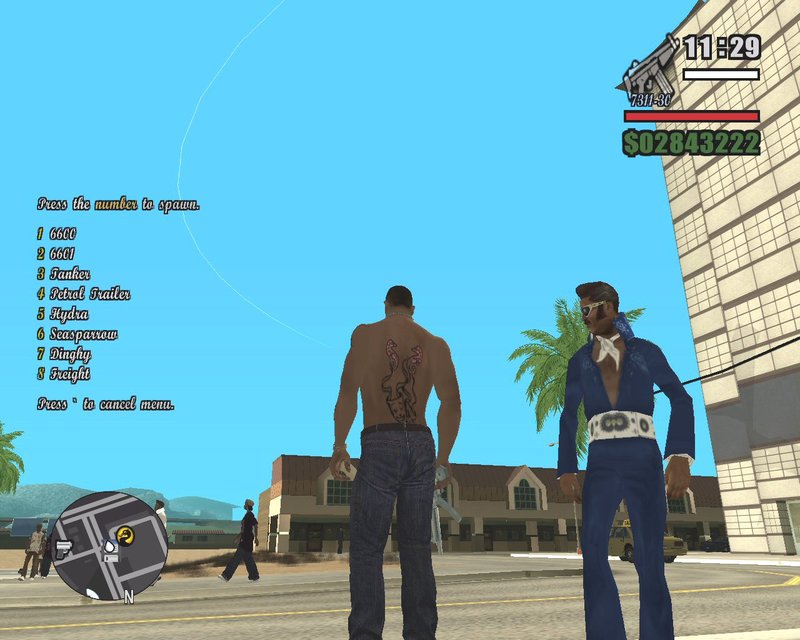
This MOD was specifically design to quickly spawn a desired vehicle to be used by CJ. No graphical representations to display before spawning. Only plain text. A disadvantage if the player (user) is not familiar with the vehicles' names used by the original SA game.
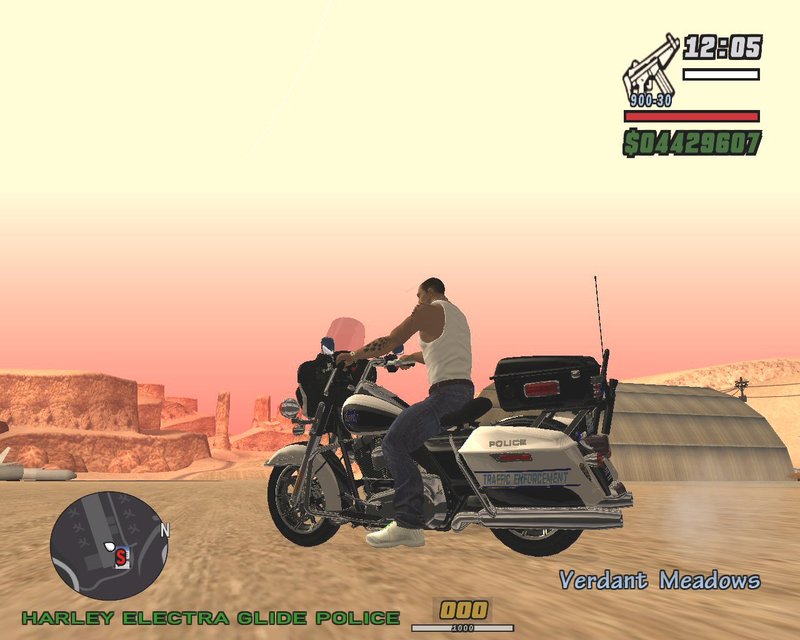
ALL SA vehicles listed in the original "Vehicle.ide" file (212 of them) can be spawned with this cleo 4.xx script MOD by pressing a pair of combination keys then a number key. The spawned vehicle takes place one to two meters away facing to the left in front of CJ. Except for the trains that are spawned on the nearest railroad tracks. Spawning can be done either outdoor or indoor, on mission or not, only when CJ is on-foot, with jetpack on ground or in-water floating. CJ can enter a spawned vehicle instantly by pressing a pair of keys.
Overview of operation:
Press then release one of eight pair of keyboard keys, [`]+[3], [`]+[4], [`]+[5], [`]+[6], [`]+[7], [`]+[8], [`]+[9] or [`]+[0], simultaneously. The script will display a group of ten vehicles' names to choose from then pressing another numeric key that represents the name of a vehicle to spawn. Press [Enter/Exit] to enter the vehicle normally. Or press [`]+[Enter/Exit] to enter the vehicle instantly.
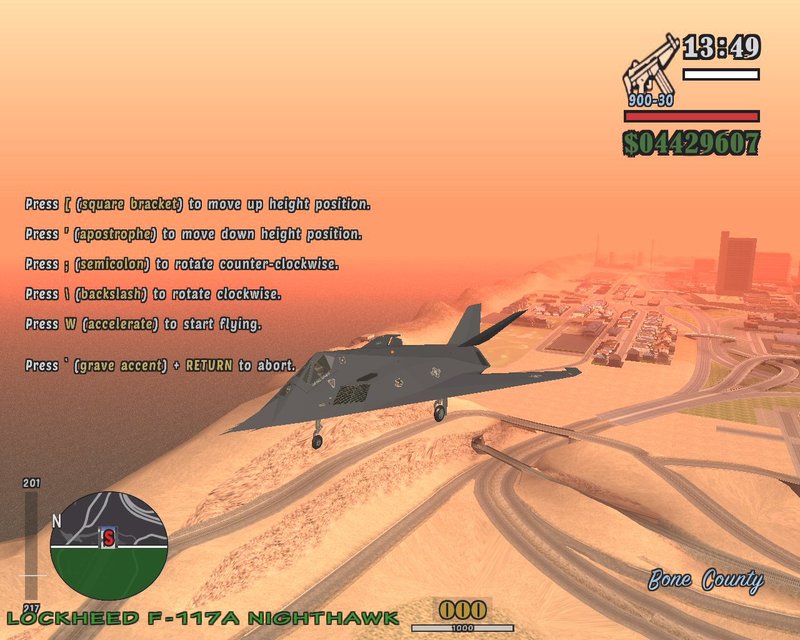
Additional keystroke/s is/are needed for spawning a flying vehicle.
More instructions can be read in "Readme (SA Vehicle_Spawner).txt" that comes with this MOD.
- fixed a critical bug when pressing to select a number that has no or a negative one (-1) entry to spawn a vehicle resulting to stop the game running without indicating an error.
- increase to five (5) the number of train-heads that can be added.
- NOTE (in case you don't know): When this type of error occurs in Windows, just press [Ctrl]-[Alt]-[Del], select "Start Task Manager" to bring up the Task Manager window, select "gta_sa.exe" then click "End Process" twice to go back to your desktop instead of rebooting.
-------------- Second Version (SA Vehicle_Spawner 2) --------------
What's new?
- Added vehicles can now be spawned!
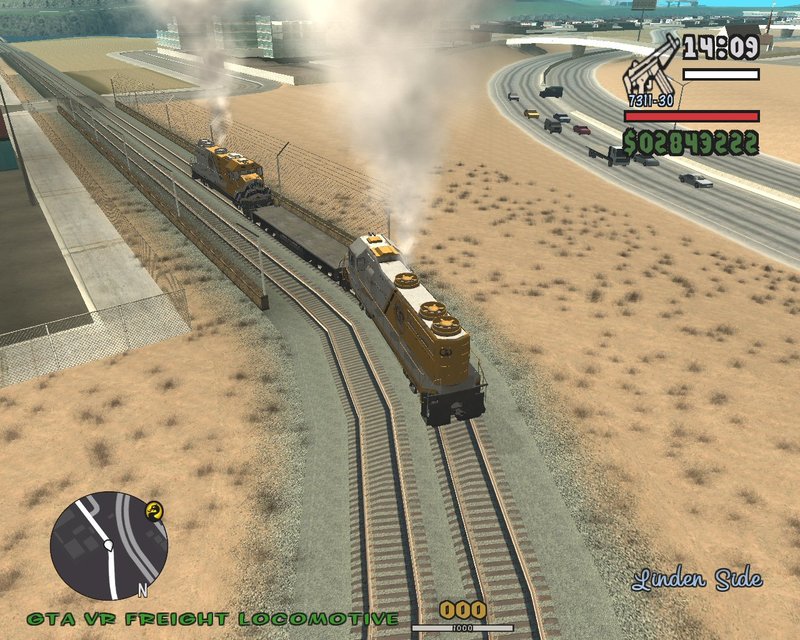
- CJ will automatically be in a driving position when a train is spawn on the nearest train's track available. Additional keystrokes are needed to determine the train direction.
- Spawning a flying vehicle can be selected whether you want it spawn on the ground or in air.
- Detailed configuration setup is provided in the archive.
Overview of operation:
The same as the first version of "SA Vehicle_Spawner" (read below) except for the script will display a group of eight, instead of ten, vehicles' names to choose from.
Also included is a brief tutorial on how to add vehicle/s.
-------------- First Version (SA Vehicle_Spawner) --------------
This MOD was specifically design to quickly spawn a desired vehicle to be used by CJ. No graphical representations to display before spawning. Only plain text. A disadvantage if the player (user) is not familiar with the vehicles' names used by the original SA game.
ALL SA vehicles listed in the original "Vehicle.ide" file (212 of them) can be spawned with this cleo 4.xx script MOD by pressing a pair of combination keys then a number key. The spawned vehicle takes place one to two meters away facing to the left in front of CJ. Except for the trains that are spawned on the nearest railroad tracks. Spawning can be done either outdoor or indoor, on mission or not, only when CJ is on-foot, with jetpack on ground or in-water floating. CJ can enter a spawned vehicle instantly by pressing a pair of keys.
Overview of operation:
Press then release one of eight pair of keyboard keys, [`]+[3], [`]+[4], [`]+[5], [`]+[6], [`]+[7], [`]+[8], [`]+[9] or [`]+[0], simultaneously. The script will display a group of ten vehicles' names to choose from then pressing another numeric key that represents the name of a vehicle to spawn. Press [Enter/Exit] to enter the vehicle normally. Or press [`]+[Enter/Exit] to enter the vehicle instantly.
Additional keystroke/s is/are needed for spawning a flying vehicle.
More instructions can be read in "Readme (SA Vehicle_Spawner).txt" that comes with this MOD.
Комментарии
Опубликовано комментариев: 7.


05/30/2019 20:39
This version of my vehicle spawner was superseded by an edited version:
https://www.gtainside.com/en/sanandreas/mods/132920-sa-vehicle-spawner-2/
Цитировать | Ответить | (0)
This version of my vehicle spawner was superseded by an edited version:
https://www.gtainside.com/en/sanandreas/mods/132920-sa-vehicle-spawner-2/
Цитировать | Ответить | (0)
04/06/2019 05:28
@Ben987
Let me review the instructions to operate this mod:
- the ".cs" and ".ini" files should be in ..\cleo folder.
- the ".fxt" files should be in ..\cleo\cleo_text folder.
- you're using cleo version 4.xx.
- you press ' and 3 at the alpha-numeric section of your keyboard simultaneously then release both keys. A menu should appear.
The default settings in "1Veh_Spawner.ini" was tested thoroughly using my dual core 2.5 cpu, 2g ddr2 ram, 1g video card, 500g hd on windows 7 using cleo versions 4.1130f, 4.316 and 4.322.
I hope this will resolve your problem..
Цитировать | Ответить | (0)
@Ben987
Let me review the instructions to operate this mod:
- the ".cs" and ".ini" files should be in ..\cleo folder.
- the ".fxt" files should be in ..\cleo\cleo_text folder.
- you're using cleo version 4.xx.
- you press ' and 3 at the alpha-numeric section of your keyboard simultaneously then release both keys. A menu should appear.
The default settings in "1Veh_Spawner.ini" was tested thoroughly using my dual core 2.5 cpu, 2g ddr2 ram, 1g video card, 500g hd on windows 7 using cleo versions 4.1130f, 4.316 and 4.322.
I hope this will resolve your problem..
Цитировать | Ответить | (0)
04/05/2019 23:19
@eliab-kulot Nope still doesn't work. Downloaded the file again (files were complete). Tried reinstalling CLEO, nothing worked.
Цитировать | Ответить | (0)
@eliab-kulot Nope still doesn't work. Downloaded the file again (files were complete). Tried reinstalling CLEO, nothing worked.
Цитировать | Ответить | (0)
04/05/2019 12:31
Try to download it again. I just checked the archive and it's good. Kumpleto naman...
Цитировать | Ответить | (0)
Quote: Ben987
Walang "1Veh_Spawner.ini" na file sa cleo folder. Di rin lumalabas yung mga menu pag pinipindot yung "`+3" etc.
How do I fix this?
Try to download it again. I just checked the archive and it's good. Kumpleto naman...
Цитировать | Ответить | (0)
04/05/2019 06:15
Walang "1Veh_Spawner.ini" na file sa cleo folder. Di rin lumalabas yung mga menu pag pinipindot yung "`+3" etc.
How do I fix this?
Цитировать | Ответить | (0)
Walang "1Veh_Spawner.ini" na file sa cleo folder. Di rin lumalabas yung mga menu pag pinipindot yung "`+3" etc.
How do I fix this?
Цитировать | Ответить | (0)
04/05/2019 05:22
I'm glad you have mention it. I will be working on that. Expect this mod to have an update soon.
Thanks for commenting...
Цитировать | Ответить | (1)
Quote: Krosscage
What about vehicles which are added without replacing ?
I'm glad you have mention it. I will be working on that. Expect this mod to have an update soon.
Thanks for commenting...
Цитировать | Ответить | (1)