Выбор команды
San Andreas / Автомобили / Автомобили GTA V
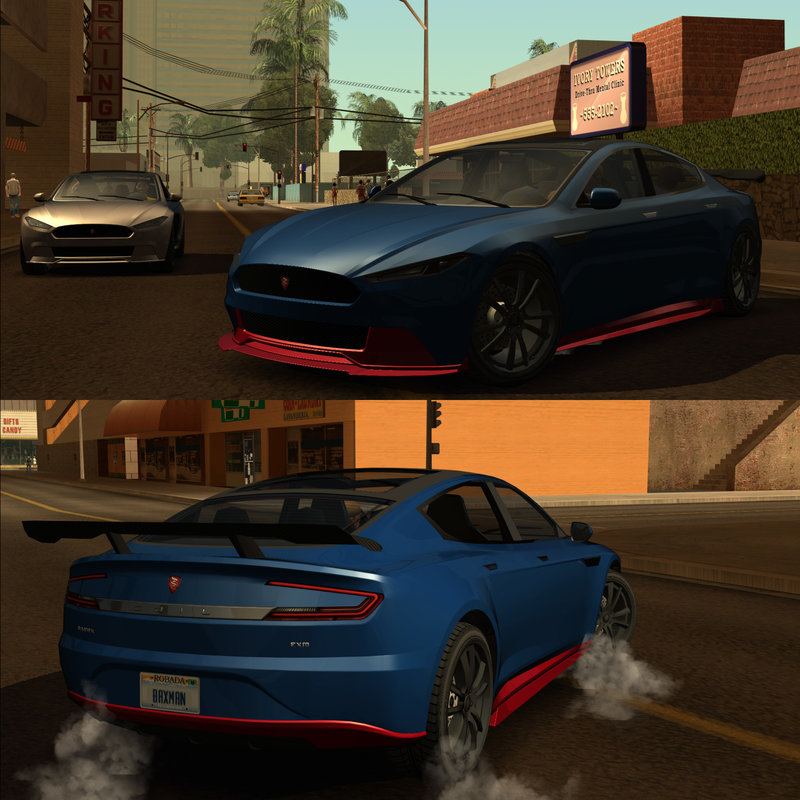
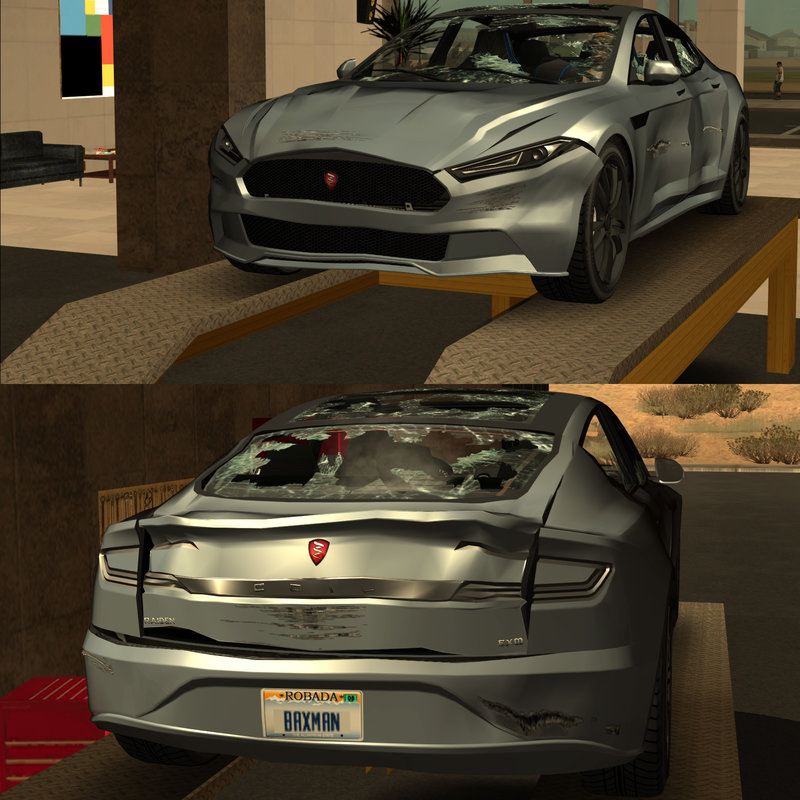
Coil Raiden
- M4k3 | загрузил M4k3
- m4k3place.blogspot.com
- 01/28/2018
- 15933 Скачивания
Оценки:
Сначала войди в аккаунт.
Избранное:
Скачать
13.19Mb
13.19Mb
Videos
Видео пока не добавлены.Войди в аккаунт, чтобы добавить видео к этому моду.
Описание
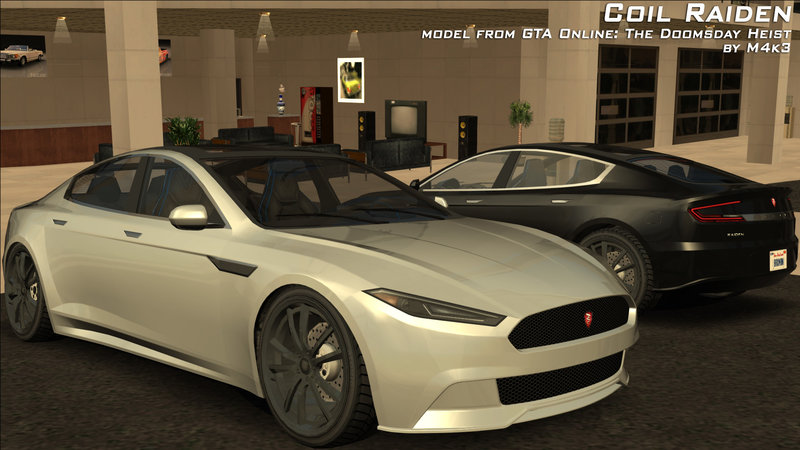
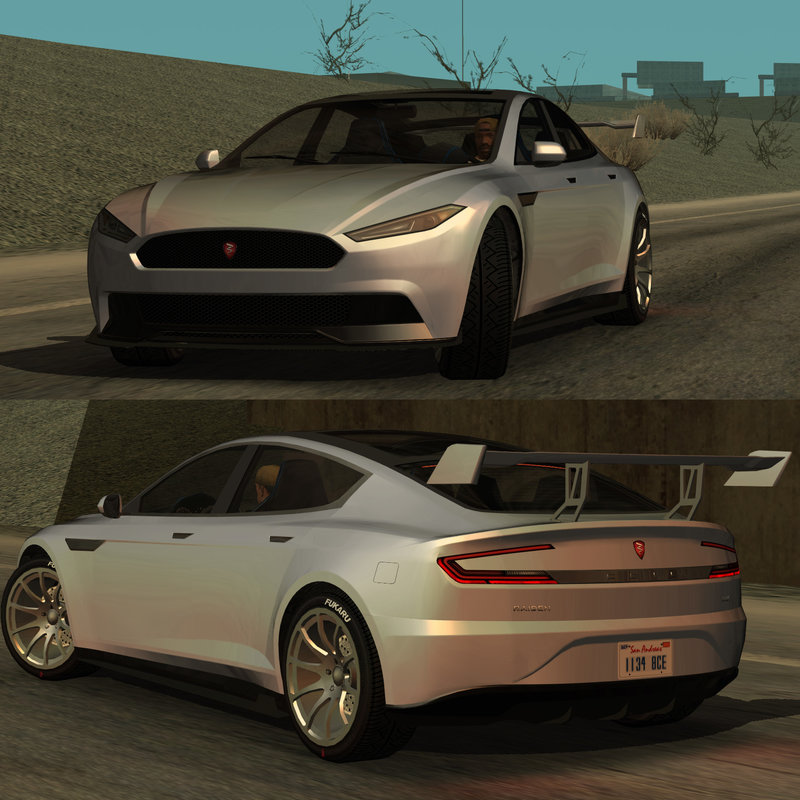
Coil Raiden
model from GTA Online: The Doomsday Heist by M4k3 (MaxBaxman)
The Raiden is a masterpiece of understatement. If it pulled up next to you while you were slumped over, sobbing at the lights, you wouldn't bother to look up from your ex's Snapmatic profile. But then the lights go green, and you see it put down the kind of noiseless acceleration that internal combustion can only dream of. Your iFruit falls from your snotty grip, and you think: maybe the world's not so bad after all
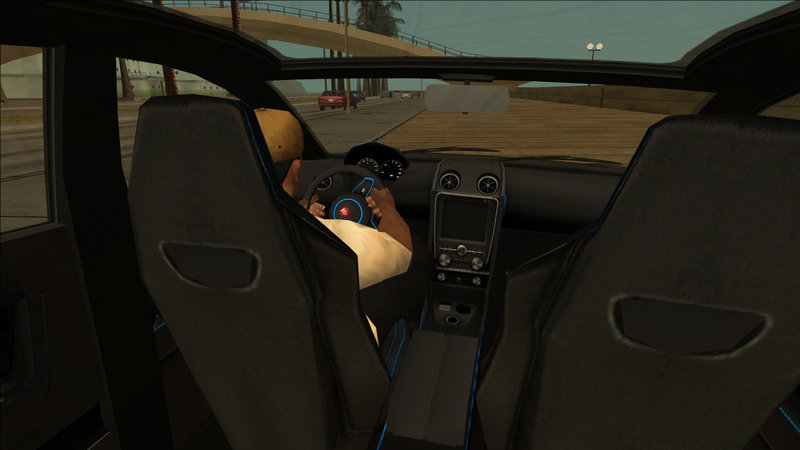
Differences compared to previous version: new improved electric engine sound, model fixes, new badging, VehFuncs adaptation, improved interior texture.
Features:
model from GTA Online: The Doomsday Heist by M4k3 (MaxBaxman)
The Raiden is a masterpiece of understatement. If it pulled up next to you while you were slumped over, sobbing at the lights, you wouldn't bother to look up from your ex's Snapmatic profile. But then the lights go green, and you see it put down the kind of noiseless acceleration that internal combustion can only dream of. Your iFruit falls from your snotty grip, and you think: maybe the world's not so bad after all
Differences compared to previous version: new improved electric engine sound, model fixes, new badging, VehFuncs adaptation, improved interior texture.
Features:
- Add-On car (ID 999) or replaces Elegant
- Includes Add-On Tuning Parts for this car only (IDs 11970-11975, 2 parts of Type 1 and 4 parts of Type 2)
- SAMP compatible - wheels have correct size and don't sink into the ground, tuning doesn't crash
- ImVehFt compatible - only one version that works with and without ImVehFt
- ImVehFt features: dirt on paintable parts, plastic, chrome, wheels; all lights work, brake hubs only appear with ImVehFt installed
- VehFuncs 2.2 compatible - working wipers, engine vibration, rear lights and roof windows can be damaged (named as right and left rear fenders/wings)
- Optimized model and textures (if you want to reduce their size even more then use MagicTXD)
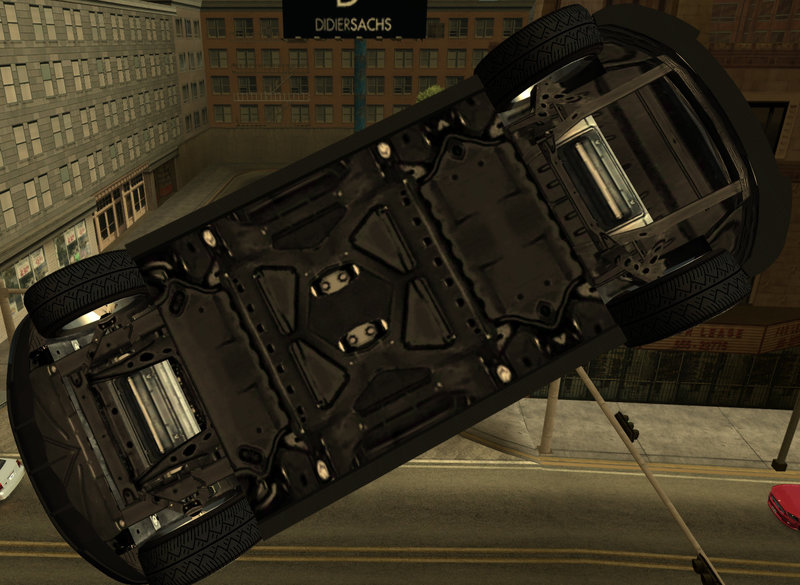
- Custom collision, flat shadow
- Custom reflection texture.
- GTA SA dynamic numberplates
- 3 Car Colors: 1st - Car Body Paint, 2nd - Some Panel Parts, 3rd - Plastic Parts (usually black or gray), 4th - unused (though I usually leave it for wheels)
- SkyGFX/ENB/GFXHack compatible
- Adapted to M4k3's New Car Animations 1.6 (without it you may have legs sticking out)
- TXT files with settings - both for tuning and car itself that can be installed easily with ModLoader + manual installation settings (VehicleAudioLoader settings, shopping.dat settings, cargrp.dat settings -< these have to be copied and pasted manually).
- Has visible recharge cap (doesn't explode since it's electric vehicle)
- Tuning can be installed in TransFender. Adapted to M4k3's GTA 5 Tuning Parts
- Bonus materials include: stronger reflection texture (add to vehicle.txd with DXT1 compression), new ImVehFt dirt, tyie and plate textures, plate textures for non-IVF users (replace in vehicle.txd, make sure platecharset is not compressed).
- Files are unlocked - should be importable without any problem (TXD can be opened with MagicTXD). I can send 3ds Max 2012 project file if needed.
Комментарии
Опубликовано комментариев: 26.


04/14/2021 06:59
Updated now! All settings are now listed in TXT files instead of ReadMe (including sound ones)
Цитировать | Ответить | (0)
Updated now! All settings are now listed in TXT files instead of ReadMe (including sound ones)
Цитировать | Ответить | (0)





03/01/2018 22:43
Subscribe : ) I'm going to 30 000. Thanks !
4K! 2160p ! 60FPS! Post Effects, Speed and Crash Test:
https://www.youtube.com/watch?v=Be68QvZ1I-w
Anyone can use the video link on other sites : )
CHECK MY CHANNEL : )
NOW I HAVE +30 300 MOVIES : )
Цитировать | Ответить | (0)
Subscribe : ) I'm going to 30 000. Thanks !
4K! 2160p ! 60FPS! Post Effects, Speed and Crash Test:
https://www.youtube.com/watch?v=Be68QvZ1I-w
Anyone can use the video link on other sites : )
CHECK MY CHANNEL : )
NOW I HAVE +30 300 MOVIES : )
Цитировать | Ответить | (0)

02/01/2018 08:25
Oh I can wait are you gonna include all the tuning parts for the tempesta?
Цитировать | Ответить | (0)
Quote: M4k3
@carleezy, Well not that soon. the next 10 cars I am planning to release are mostly sedans
https://imgur.com/hkmURse
Oh I can wait
are you gonna include all the tuning parts for the tempesta?Цитировать | Ответить | (0)
01/31/2018 09:07
@carleezy, Well not that soon. the next 10 cars I am planning to release are mostly sedans
https://imgur.com/hkmURse
Цитировать | Ответить | (1)
@carleezy, Well not that soon. the next 10 cars I am planning to release are mostly sedans
https://imgur.com/hkmURse
Цитировать | Ответить | (1)

01/31/2018 00:01
@LaDiDa Yes, I know but it would take the lag caused by textures (which my not be a lot really).
Цитировать | Ответить | (0)
@LaDiDa Yes, I know but it would take the lag caused by textures (which my not be a lot really).
Цитировать | Ответить | (0)


01/29/2018 19:21
@M4k3
I've been following the instructions in readme file, but I hadn't realised where I should put tuning parts related to the vehicle. I'm not using ModLoader and there's not any closer description of the folder. Could you please tell me, where I should put them?
On the other side I must say these vehicles (especially with these custom parts) are so cool.
Цитировать | Ответить | (0)
@M4k3
I've been following the instructions in readme file, but I hadn't realised where I should put tuning parts related to the vehicle. I'm not using ModLoader and there's not any closer description of the folder. Could you please tell me, where I should put them?
On the other side I must say these vehicles (especially with these custom parts) are so cool.
Цитировать | Ответить | (0)
01/29/2018 14:26
ok
Цитировать | Ответить | (0)
Quote: M4k3
@gonzalezvla, It's one version and it can be used with AND without IVF (if you want to use the mod without IVF you will need to add vehgenbrakehub.png texture from the Bonus folder to your vehicle.txd in models\generic - that will hide the brake hubs for all my 2017-2018 releases) and there's no Active DashBoard support in this mod because I don't want to make HD interiors currently.
ok
Цитировать | Ответить | (0)
01/29/2018 12:42
@gonzalezvla, It's one version and it can be used with AND without IVF (if you want to use the mod without IVF you will need to add vehgenbrakehub.png texture from the Bonus folder to your vehicle.txd in models\generic - that will hide the brake hubs for all my 2017-2018 releases) and there's no Active DashBoard support in this mod because I don't want to make HD interiors currently.
Цитировать | Ответить | (1)
@gonzalezvla, It's one version and it can be used with AND without IVF (if you want to use the mod without IVF you will need to add vehgenbrakehub.png texture from the Bonus folder to your vehicle.txd in models\generic - that will hide the brake hubs for all my 2017-2018 releases) and there's no Active DashBoard support in this mod because I don't want to make HD interiors currently.
Цитировать | Ответить | (1)
01/29/2018 11:44
perfect car 10/10 but missing without version IVF and ADD 3.2.1 ?
Цитировать | Ответить | (0)
perfect car 10/10 but missing without version IVF and ADD 3.2.1 ?
Цитировать | Ответить | (0)


01/29/2018 06:18
@fd030501that won't make the model low poly though and not cause lag on his low spec system...
Цитировать | Ответить | (0)
@fd030501that won't make the model low poly though and not cause lag on his low spec system...
Цитировать | Ответить | (0)

01/28/2018 23:36
@blackbear64701 You can do it yourself :) You can open the TXD file with Magic TXD editor and reduce the size of the image sizes by half, or even by one fourth. Do this by exporting all the textures as a PNG and with an drawing software resize the files to half of the original. Making it too small will lower the quality tho. Once all textures are smaller, import them to the txd file and it'll weigh less.
Цитировать | Ответить | (1)
@blackbear64701 You can do it yourself :) You can open the TXD file with Magic TXD editor and reduce the size of the image sizes by half, or even by one fourth. Do this by exporting all the textures as a PNG and with an drawing software resize the files to half of the original. Making it too small will lower the quality tho. Once all textures are smaller, import them to the txd file and it'll weigh less.
Цитировать | Ответить | (1)
01/28/2018 23:16
Can you make it weigh less? I liked this one but when I install it and put the car it lowers me the fps :(
Цитировать | Ответить | (1)
Can you make it weigh less? I liked this one but when I install it and put the car it lowers me the fps :(
Цитировать | Ответить | (1)