San Andreas / Android/iOS / Скины
CJ in PC version for Mobile
- LemonJuicewastaken | загрузил LemonJuicewastaken
- 04/16/2026
- 1952 Скачивания
Оценки:
Сначала войди в аккаунт.
Избранное:
Videos
Видео пока не добавлены.Войди в аккаунт, чтобы добавить видео к этому моду.
Описание
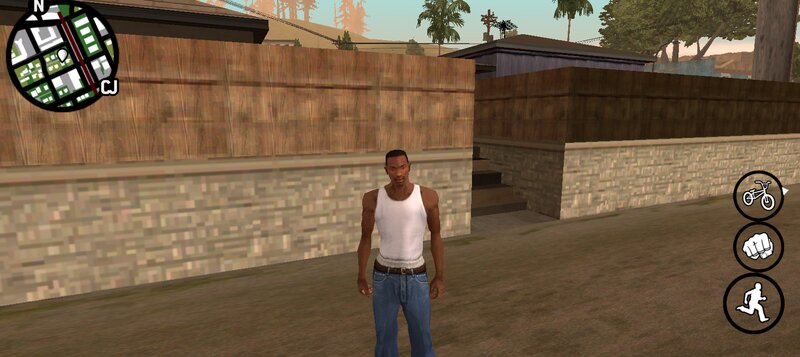
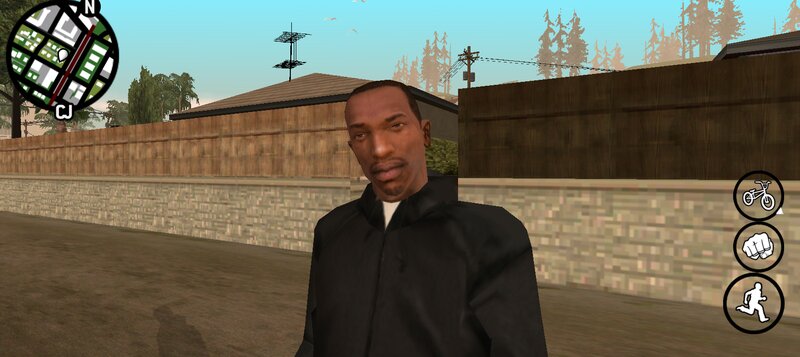
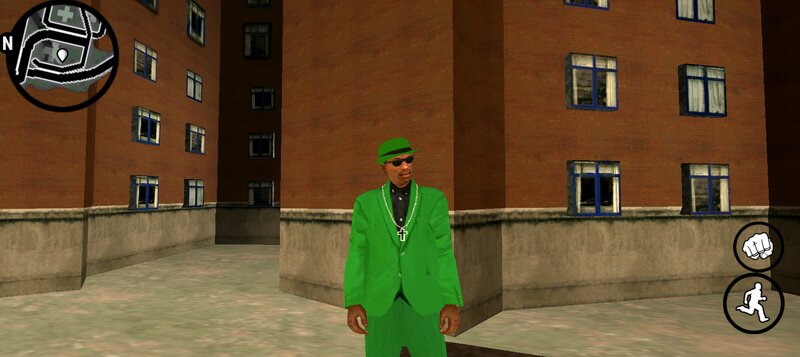
This mod restores the original PC version textures of CJ in Grand Theft Auto: San Andreas for Android.
The mobile version of the game uses compressed textures, which makes CJ look different from the PC version. This mod replaces those textures with the original PC textures to bring back the classic look.
The mod includes player.img and player_hi.img so CJ and his clothing use the correct textures.
Features:
Original PC CJ textures
Restores the classic CJ appearance
Includes player.img and player_hi.img
Better clothing textures
Lightweight and simple mod
What player_hi.img does:
player_hi.img contains higher-quality textures used for CJ’s clothes such as shirts, pants, shoes, and outfits from clothing stores. Including this file ensures all clothing textures match the PC version.
Installation:
Download the mod files.
Move player.img and player_hi.img to:
Android/data/com.rockstargames.gtasa/files/texdb/
Replace the existing files.
Start the game and enjoy the PC CJ look.
The mobile version of the game uses compressed textures, which makes CJ look different from the PC version. This mod replaces those textures with the original PC textures to bring back the classic look.
The mod includes player.img and player_hi.img so CJ and his clothing use the correct textures.
Features:
Original PC CJ textures
Restores the classic CJ appearance
Includes player.img and player_hi.img
Better clothing textures
Lightweight and simple mod
What player_hi.img does:
player_hi.img contains higher-quality textures used for CJ’s clothes such as shirts, pants, shoes, and outfits from clothing stores. Including this file ensures all clothing textures match the PC version.
Installation:
Download the mod files.
Move player.img and player_hi.img to:
Android/data/com.rockstargames.gtasa/files/texdb/
Replace the existing files.
Start the game and enjoy the PC CJ look.
Комментарии
Опубликовано комментариев: 0.