San Andreas / Android/iOS / Автомобили
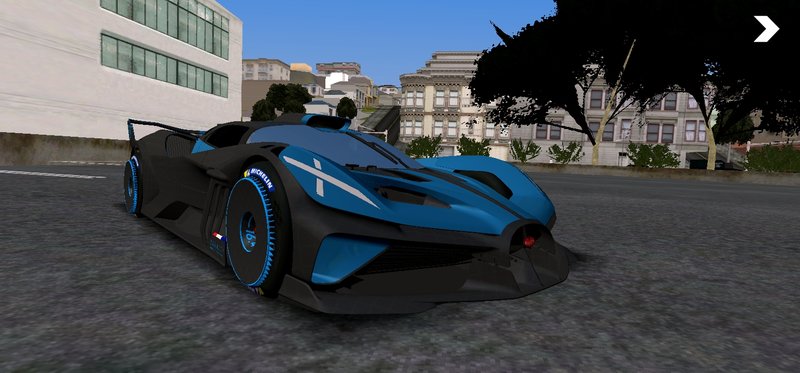
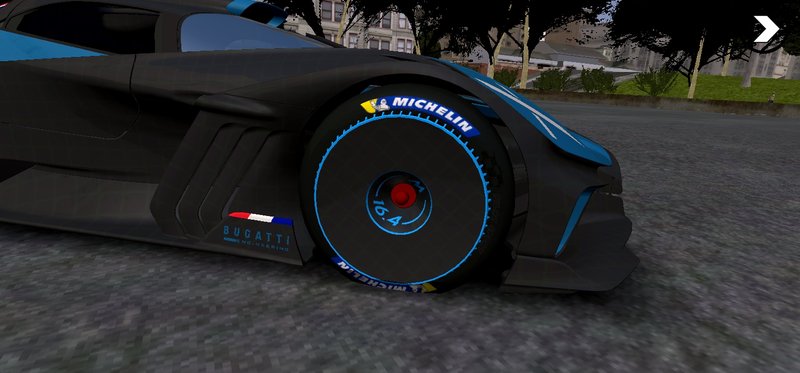
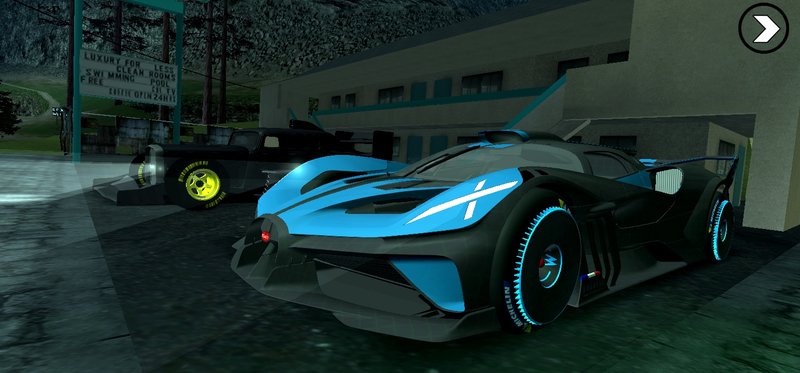
Bugatti Bolide 2024 V2 for Mobile
- OneeSama | загрузил OneeSama
- rosemodification.blogspot.com
- 12/02/2020
- 48058 Скачивания
Оценки:
Сначала войди в аккаунт.
Избранное:
Видео

Войди в аккаунт, чтобы добавить видео к этому моду.
Описание
Thx to ReGaL69 that teach me how to fix can't spawn/FC when spawn and cleo goes blank
Changelog:
- Scale
- Fix
RE-EDIT? ONLY FOR TRUSTED FRIENDS
Changelog:
- Scale
- Fix
RE-EDIT? ONLY FOR TRUSTED FRIENDS
Комментарии
Опубликовано комментариев: 22.

04/28/2025 02:40
ey lad, how u can fix that issue on yo desc? had the same issue since i suck at fixing mod😥
Цитировать | Ответить | (0)
ey lad, how u can fix that issue on yo desc? had the same issue since i suck at fixing mod😥
Цитировать | Ответить | (0)



01/03/2021 12:17
@Kbeytullah copy the line from the text file & find handling.cfg on Android/data/com.rockstargames.gtasa/files/data/
open handling.cfg with text editor & find infernus, then select the number after 'infernus' text, then paste the line that you have copied
Цитировать | Ответить | (0)
@Kbeytullah copy the line from the text file & find handling.cfg on Android/data/com.rockstargames.gtasa/files/data/
open handling.cfg with text editor & find infernus, then select the number after 'infernus' text, then paste the line that you have copied
Цитировать | Ответить | (0)
12/16/2020 08:27
@CrimsonTrailIX lol.. all you need to do is just import it (your choice if it with alpha or uncompressed), after you do that, Select Create Sibling, enter dff name (example: your dff is infernus, then you need you add the name on that), checklist the "Correct Capital Letter in Name", done..
Цитировать | Ответить | (2)
@CrimsonTrailIX lol.. all you need to do is just import it (your choice if it with alpha or uncompressed), after you do that, Select Create Sibling, enter dff name (example: your dff is infernus, then you need you add the name on that), checklist the "Correct Capital Letter in Name", done..
Цитировать | Ответить | (2)
12/16/2020 02:52
I found a Fix already. Instead of choosing "with alpha" and "without alpha" in the txd tool. I chose "uncompressed with Alpha" and "uncompressed without alpha." also try unchecking the "check raster hash" and "Reduce *something*" option.
I imported it as a Euros.dff to make it rarer and not appear in the roads cause I feel like if this car is on the road my Game will crash since this car is kinda heavy on my processor and I don't have a High end device.
Thanks @OneeSama for this Great car.
Цитировать | Ответить | (0)
I found a Fix already. Instead of choosing "with alpha" and "without alpha" in the txd tool. I chose "uncompressed with Alpha" and "uncompressed without alpha." also try unchecking the "check raster hash" and "Reduce *something*" option.
I imported it as a Euros.dff to make it rarer and not appear in the roads cause I feel like if this car is on the road my Game will crash since this car is kinda heavy on my processor and I don't have a High end device.
Thanks @OneeSama for this Great car.
Цитировать | Ответить | (0)
12/15/2020 02:34
@MESHBAHSAKIB2007 watch the video. thats from other modder. for some reason i locked it both zm2 & dfflocker. Import all texture with the same way as the image told you (make sure you put dff name "infernus" because if you not put the name, the texture is just an image)
Цитировать | Ответить | (0)
@MESHBAHSAKIB2007 watch the video. thats from other modder. for some reason i locked it both zm2 & dfflocker. Import all texture with the same way as the image told you (make sure you put dff name "infernus" because if you not put the name, the texture is just an image)
Цитировать | Ответить | (0)


12/10/2020 00:54
@CrimsonTrailIX all my friends have no problem with texture.. maybe you need to check all texture name on TXD Tool.
Цитировать | Ответить | (0)
@CrimsonTrailIX
all my friends have no problem with texture.. maybe you need to check all texture name on TXD Tool.Цитировать | Ответить | (0)
12/09/2020 19:16
Any Idea why the Car goes all white with me despite importing the textures the right way?
Цитировать | Ответить | (0)
Any Idea why the Car goes all white with me despite importing the textures the right way?
Цитировать | Ответить | (0)



12/07/2020 14:29
@Mohamed ENsay idk about pc.. i didn't test it.. but if it work, well.. noice
Цитировать | Ответить | (1)
@Mohamed ENsay idk about pc.. i didn't test it.. but if it work, well.. noice
Цитировать | Ответить | (1)

12/05/2020 08:22
Bruh you're a legend!!! I will help u to get more downloads
Цитировать | Ответить | (1)
Bruh you're a legend!!! I will help u to get more downloads
Цитировать | Ответить | (1)

12/03/2020 17:04
incredible is a spectacular car. your cars are always welcome excellent work. 10/10
Цитировать | Ответить | (1)
incredible is a spectacular car. your cars are always welcome excellent work. 10/10
Цитировать | Ответить | (1)
12/03/2020 14:11
@Rev_Groma all i need to do is just reduce the polygons.. some of useless parts of the model will deleted/detached. it's required ZModeler2 for it. for android user, i don't know..
Цитировать | Ответить | (0)
@Rev_Groma all i need to do is just reduce the polygons.. some of useless parts of the model will deleted/detached. it's required ZModeler2 for it. for android user, i don't know..
Цитировать | Ответить | (0)

12/03/2020 13:01
А может и мне научите как исправить spawn/FC when spawn? Если конечно не сложно
Цитировать | Ответить | (0)
А может и мне научите как исправить spawn/FC when spawn?
Если конечно не сложноЦитировать | Ответить | (0)