GTA IV / Оружие / Холодное оружие
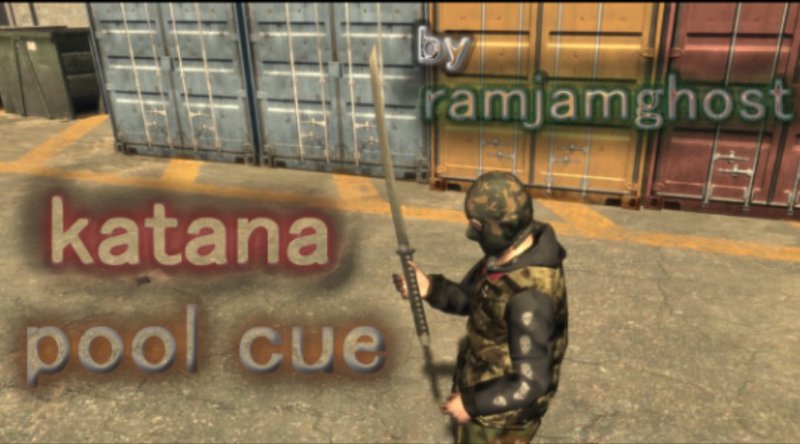
Katana Pool Cue
- ramjamghost | загрузил ramjamghost
- 02/14/2018
- 9632 Скачивания
Оценки:
Сначала войди в аккаунт.
Избранное:
Videos

Войди в аккаунт, чтобы добавить видео к этому моду.
Описание
few steps to get this pool cue replacement going
extract the weaponsinfo.xml from the common data folder in the archive
to the data folder inside of the common folder of your gtaIV install.
open the weapon img folder in the archive
extract the w_cue files in the weapon img folder to your desktop
then place them inside pc/models/weapons.img using OpenIV or SparksIV.
You're going to need a trainer to spawn this in-game, i suggest Zolikas.
Thank you for downloading, Rate 10 and subscribe to my patreon.
p.s : i've also included the openformats if you want to modify the model and the textures
extract the weaponsinfo.xml from the common data folder in the archive
to the data folder inside of the common folder of your gtaIV install.
open the weapon img folder in the archive
extract the w_cue files in the weapon img folder to your desktop
then place them inside pc/models/weapons.img using OpenIV or SparksIV.
You're going to need a trainer to spawn this in-game, i suggest Zolikas.
Thank you for downloading, Rate 10 and subscribe to my patreon.
p.s : i've also included the openformats if you want to modify the model and the textures
Комментарии
Опубликовано комментариев: 1.

10/07/2020 18:19
" then place them inside pc/models/weapons.img using OpenIV or SparksIV. " . i don't understand with this, where is models? weapons.img? please help
Цитировать | Ответить | (1)
" then place them inside pc/models/weapons.img using OpenIV or SparksIV. " . i don't understand with this, where is models? weapons.img? please help
Цитировать | Ответить | (1)