GTA IV / Моды / Скриптовые моды (например, *.lua и *.asi)
LuaModLoader v1.2.0
- ZalgoDev | загрузил zalgodev
- zalgo-dev.github.io/LuaModL...
- 08/17/2026 (Last Update: 08/29/2026)
- 857 Скачивания
Оценки:
Сначала войди в аккаунт.
Избранное:
Videos
Видео пока не добавлены.Войди в аккаунт, чтобы добавить видео к этому моду.
Описание
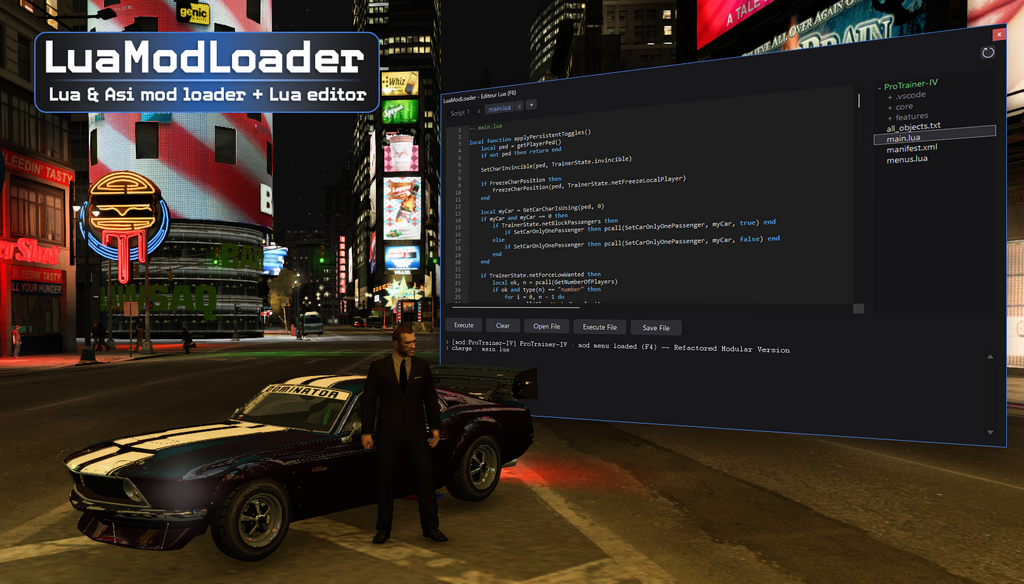
LuaModLoader for GTA IV Complete Edition (Steam 2020+ / Build 1.2.0.59)
Since older tools do not work on the latest GTA IV Complete Edition update, LuaModLoader is a modern loader that allows you to easily run and create mods using the Lua programming language !
No C++ or memory hacking required. Perfect for players who want to use new mods and creators who want to build their own scripts !
Upgrading from 1.1.x? Version 1.2.0 renames the whole Lua API, removes onTick() and moves mod manifests to manifest.lua. Scripts written for 1.1.x will stop working until they are updated, and the full old-to-new mapping is in the documentation linked below. If you only install mods, just make sure the mods you use are updated for 1.2.0 as well.
FEATURES
- Built-in ASI Loader: The proxy binkw32.dll now doubles as an ASI Loader and automatically loads all *.asi mods placed in your game folder !
- Gamepad / Controller Support (XInput): Full native support for Xbox / XInput controllers via Gamepad.IsButtonDown() for script creators.
- Familiar Naming: Call all 3,158 natives under their PascalCase name, such as SetCharHealth(ped, 200), the same names many scripts use, so ported code needs no renaming. The canonical SET_CHAR_HEALTH name stays reachable through the natives table and Native.Call.
- Register Your Own Natives: Native.Register(name, fn) adds a Lua function to the game's own native table. Anything that resolves a native by hash can then call it, whatever language it is written in, so other plugins can reach your code without sharing a DLL or a header.
- Coroutine Scheduler: Thread.Create() and a blocking Thread.Wait(ms), the standard pattern without every script rolling its own coroutine loop.
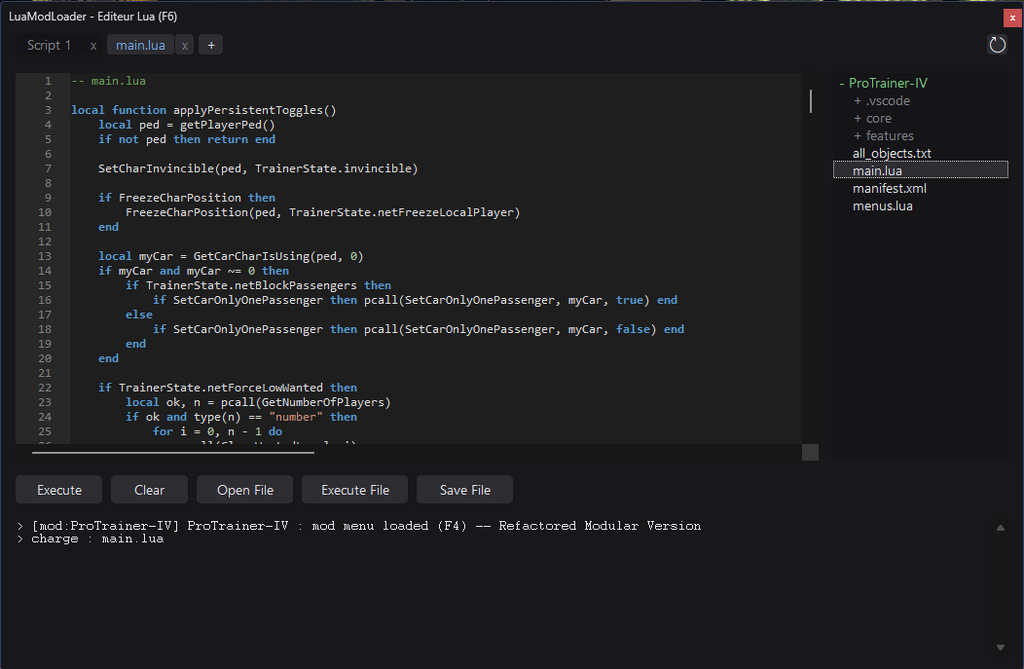
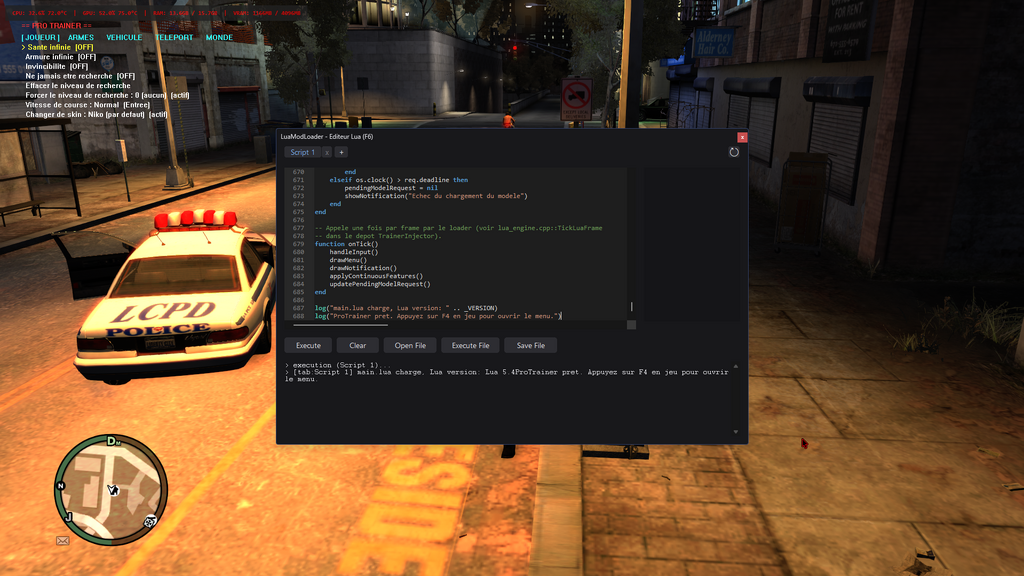
- Built-in In-Game Lua Editor: Press F6 in-game to open a code editor, write Lua scripts, and run them live without restarting GTA IV !
- Lua Mod Manifests: A mod is a folder with a manifest.lua (name, author, description, version, episode, autostart, client_scripts).
- Massive Native: Access to 3,158 native game functions.
- Vehicle Part Control: Hide and restore individual vehicle components and bones (Vehicle.HideComponent, Vehicle.SetBoneVisible) covering hoods, spoilers and latches, with every index range-checked against the current model first.
- DirectX & Input Support: Custom HUD rendering (Draw.Rect, Draw.Text), keyboard capture (Input.IsKeyDown), and game input isolation.
- Clean Binkw32 Proxy: Automatically loads with the game seamlessly without modifying executable files.
HOW TO INSTALL
- Open your GTA IV main game folder (where GTAIV.exe is located).
- Find the existing binkw32.dll file and rename it to binkw32_orig.dll (IMPORTANT: do not delete it, just rename it !).
- Extract all files from this archive into your GTA IV main game folder:
- binkw32.dll
- LuaModLoader.dll
- Scintilla.dll
- Lexilla.dll
- mods/ (empty, ready for your first mod)
- Launch the game and enjoy!
CONTROLS / USAGE
- Press F6 anytime in-game to toggle the built-in Lua script editor.
- Write or paste any Lua script, then execute it instantly.
- Drop any mod folder inside the mods/ folder that ships with the archive to have it loaded automatically. A mod is a folder carrying a manifest.lua (or an older manifest.xml / meta.xml), and it starts on its own when its manifest says autostart = true. An upgrade never touches your mods/ folder.
- Anything a mod prints with Console.Print() shows up live in the editor console, and so does any runtime error it raises.
- Drop any .asi plugins in your main GTA IV folder to load them automatically.
LINKS, DOCS & SUPPORT
- Documentation & Native Database: https://zalgo-dev.github.io/LuaModLoader/
- Discord Community & Support: https://discord.gg/J78yF98k4T
INJECTOR EDITION: ON REQUEST
A second edition exists for script creators: an external injector with its own standalone editor (tabs, search, output console) and a live mod manager to Start, Stop, Reload and Edit any mod while the game runs. It attaches to GTA IV from the outside and never adds, renames or replaces a single file in your game folder.
It is not published here. Send me a DM on Discord if you want it: https://discord.gg/J78yF98k4T
HOW TO UNINSTALL
- Delete LuaModLoader.dll, Scintilla.dll, Lexilla.dll, and the custom binkw32.dll.
- Rename binkw32_orig.dll back to binkw32.dll.
COMPATIBILITY
- Designed for GTA IV: The Complete Edition (Build 1.2.0.59 / Steam & Rockstar Launcher).
- 32-bit (x86).
Комментарии
Опубликовано комментариев: 0.