GTA IV / Моды / ENB Series / Графика
TANv2 and Reshade
- NewClive | загрузил 1472427152
- 07/13/2021
- 36922 Скачивания
Оценки:
Сначала войди в аккаунт.
Избранное:
Скачать
83.51Mb
83.51Mb
Videos

Войди в аккаунт, чтобы добавить видео к этому моду.
Описание
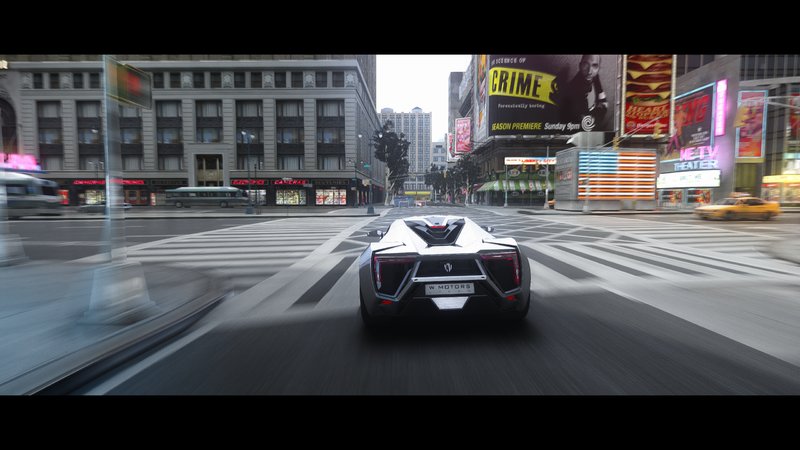
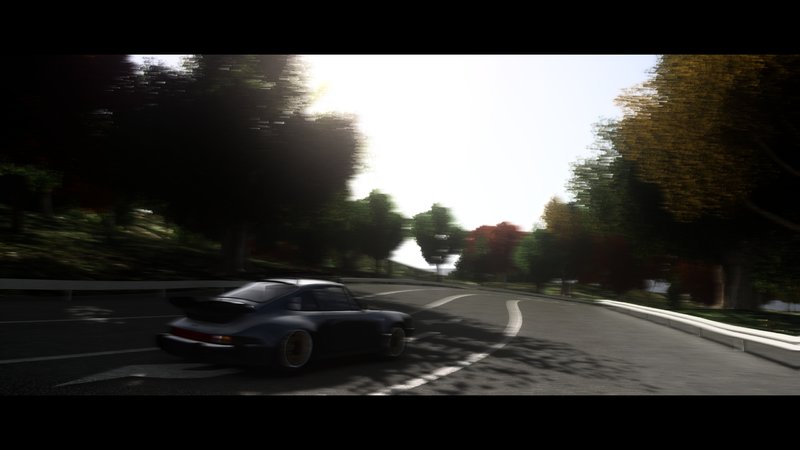
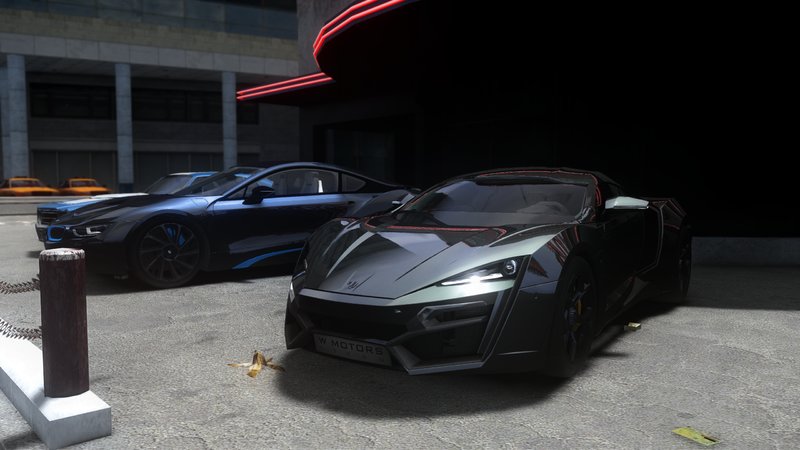
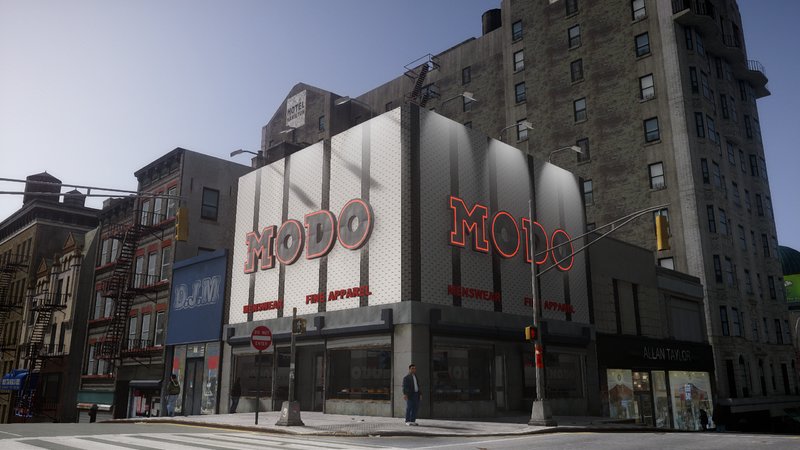
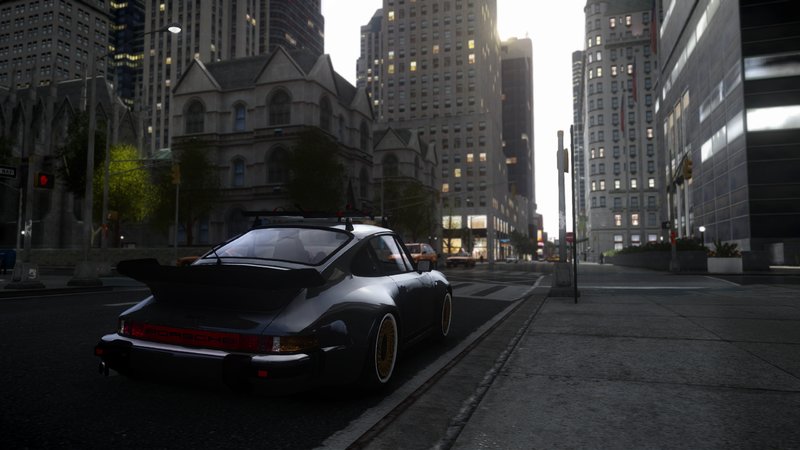
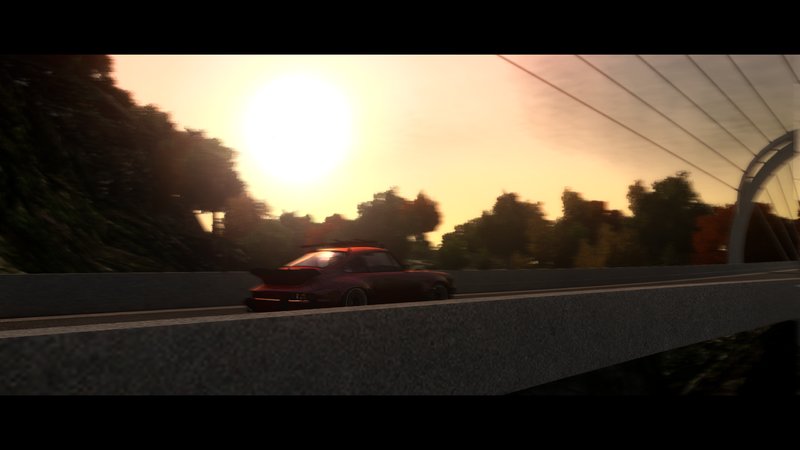
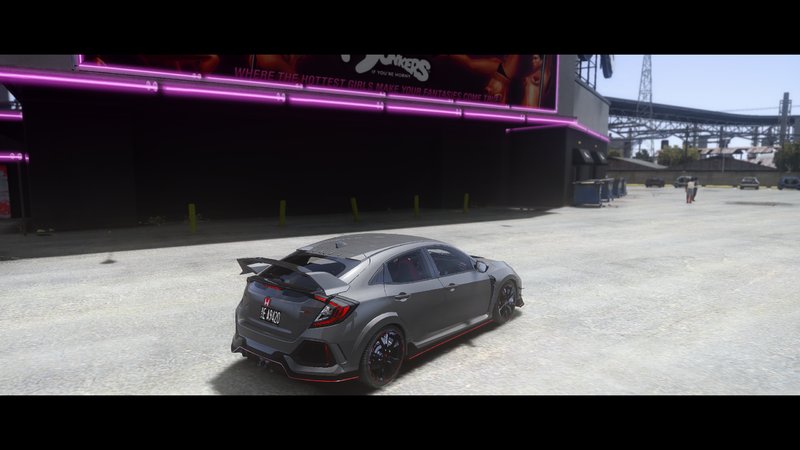
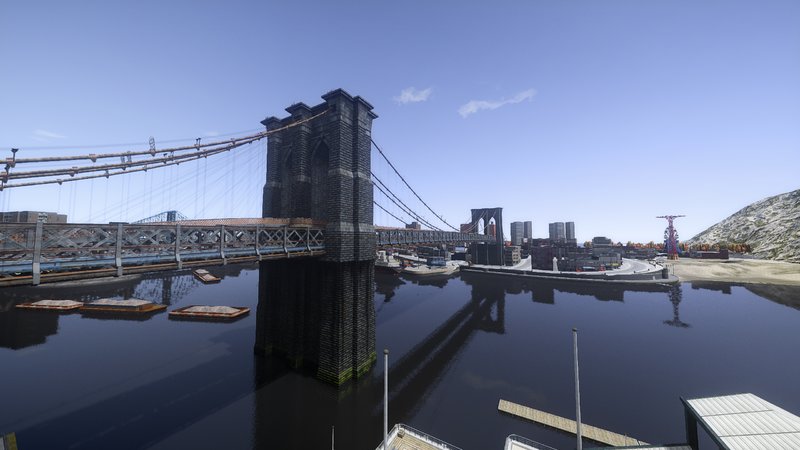
In this enb,i had used the Reshade.
All the special effects of Reshade are preset from NewClive.
ENB is from TAN's ICE 2.0 TANv2,and thanks for him!He made an awesome ENB!
Only 1.04 !!! Only !!!
BUG !!!! : (1) when you are in the game the enb is doesnt work(maybe it seems to be on a lightning channel and all grey)
And the solution to this bug is to wait for 5-10 seconds after you enter the game (it's better not to try to control your character). After that, the normal screen will appear.
(2) when you are in the game ,maybe the map is transparent,dont worry, just change your resolution or screen refresh rate (in game settings).After that, the normal screen will appear.
(3) After you turn on the special effects of reshade, the game screen may flicker in low fps. You just need to open commandline.txt in the game directory (if you don't have it ,just create one), then enter -windowed and save it.
--------------------------------------------------------
(update 1.1)
With the help of irul, he updated the kernel to version 0.163
Thank irul for everything!
All the special effects of Reshade are preset from NewClive.
ENB is from TAN's ICE 2.0 TANv2,and thanks for him!He made an awesome ENB!
Only 1.04 !!! Only !!!
BUG !!!! : (1) when you are in the game the enb is doesnt work(maybe it seems to be on a lightning channel and all grey)
And the solution to this bug is to wait for 5-10 seconds after you enter the game (it's better not to try to control your character). After that, the normal screen will appear.
(2) when you are in the game ,maybe the map is transparent,dont worry, just change your resolution or screen refresh rate (in game settings).After that, the normal screen will appear.
(3) After you turn on the special effects of reshade, the game screen may flicker in low fps. You just need to open commandline.txt in the game directory (if you don't have it ,just create one), then enter -windowed and save it.
--------------------------------------------------------
(update 1.1)
With the help of irul, he updated the kernel to version 0.163
Thank irul for everything!
Комментарии
Опубликовано комментариев: 28.


02/27/2023 02:52
@HSMODEGAMEIV hi, you can use the Lightroom.fx in Reshade to change contrast of each color
Цитировать | Ответить | (1)
@HSMODEGAMEIV hi, you can use the Lightroom.fx in Reshade to change contrast of each color
Цитировать | Ответить | (1)

02/13/2023 13:21
how can i changer contrast in your mod - it to bright when i use
Цитировать | Ответить | (0)
how can i changer contrast in your mod - it to bright when i use
Цитировать | Ответить | (0)
05/02/2022 03:29
@AlexanderHGKwhat the matter? dose the screen flicker?or the map is transparent? maybe you can fix is by using commandline.txt
Цитировать | Ответить | (0)
@AlexanderHGKwhat the matter? dose the screen flicker?or the map is transparent? maybe you can fix is by using commandline.txt
Цитировать | Ответить | (0)

12/20/2021 03:55
@Paritoshi had added it into the latest file.
u just need to download the latese one.
Цитировать | Ответить | (0)
@Paritoshi had added it into the latest file.
u just need to download the latese one.
Цитировать | Ответить | (0)
12/14/2021 17:22
@1472427152Your mod is awesome. Would you please give me that update which has good fps and better performance?
Цитировать | Ответить | (0)
@1472427152Your mod is awesome. Would you please give me that update which has good fps and better performance?
Цитировать | Ответить | (0)

08/03/2021 07:12
@1472427152Yes, you should try that! I think it also reduces the need for your fxaa (giving a few more fps boosts maybe?) . I've sent the link in your message.
Цитировать | Ответить | (1)
@1472427152Yes, you should try that!
I think it also reduces the need for your fxaa (giving a few more fps boosts maybe?) . I've sent the link in your message.Цитировать | Ответить | (1)
07/29/2021 05:25
@irulnevermind the red bug still happens. you still need to use the -windowed command, sorry 'bout that
but the in-game AA and more fps is true tho' so I suggest you update it.
Цитировать | Ответить | (1)
@irulnevermind the red bug still happens. you still need to use the -windowed command, sorry 'bout that
but the in-game AA and more fps is true tho' so I suggest you update it.
Цитировать | Ответить | (1)
07/29/2021 04:44
@1472427152 hey! I found out how to convert the enb to the latest version enb (0.163) that has the optimized ssao code from boris . and I got like a 10 fps boost.
you just have to rename all the old ice files according to the latest version of enb. and they both still have the same effect, just have a better fps, has built-in AA, and none of that redlights bug and transparent world. you should try it, and then update your mod!
Цитировать | Ответить | (1)
@1472427152 hey! I found out how to convert the enb to the latest version enb (0.163) that has the optimized ssao code from boris
. and I got like a 10 fps boost. you just have to rename all the old ice files according to the latest version of enb. and they both still have the same effect, just have a better fps, has built-in AA, and none of that redlights bug and transparent world. you should try it, and then update your mod!
Цитировать | Ответить | (1)
07/27/2021 17:52
@iruloh,u can add this :
-width 1546
-height 864
in your commandline.txt
Цитировать | Ответить | (1)
@iruloh,u can add this :
-width 1546
-height 864
in your commandline.txt
Цитировать | Ответить | (1)
07/27/2021 11:35
@1472427152 yep, I tried that and the game messed up. alright, so I can't use the -windowed command because I'm playing on a laptop, with 1546 x 864. even though, my display resolution was 1080p. the issue is my game seems to not stretch properly to my laptop resolution because of the windowed command. I have tried walk around though, and It's very good but has an issue with the framerate(i got around 40-43 fps on my RTX 2070 8GB).
Цитировать | Ответить | (0)
@1472427152 yep, I tried that and the game messed up. alright, so I can't use the -windowed command because I'm playing on a laptop, with 1546 x 864. even though, my display resolution was 1080p. the issue is my game seems to not stretch properly to my laptop resolution because of the windowed command. I have tried walk around though, and It's very good but has an issue with the framerate(i got around 40-43 fps on my RTX 2070 8GB).
Цитировать | Ответить | (0)
07/19/2021 11:44
@irul the only way I found to solve the problem of screen flicker is window game.
and never use the latest enb's d3d9.dll to replace the original d3d9.dll of this enb.
cause they are different,so the latest enb's d3d9.dll won't work.
Цитировать | Ответить | (0)
@irul the only way I found to solve the problem of screen flicker is window game.
and never use the latest enb's d3d9.dll to replace the original d3d9.dll of this enb.
cause they are different,so the latest enb's d3d9.dll won't work.
Цитировать | Ответить | (0)
07/19/2021 02:21
@1472427152 thanks, using dxvk actually lowers the performance, I don't know why though maybe because reshade needs to be reinstalled as Vulkan.
as for the bugs, it happens frequently inside niko house and in cutscenes (they lag really bad with some flickering red-like light), making the game unplayable when playing a mission.
is there a way to fix it? I think the problem is within the icenhancer enb they use enb version 0.0086, the latest enb doesn't have this problem. but when I replace the d3d9.dll with the latest enb, the game went pitch black.
Цитировать | Ответить | (0)
@1472427152 thanks, using dxvk actually lowers the performance, I don't know why though maybe because reshade needs to be reinstalled as Vulkan.
as for the bugs, it happens frequently inside niko house and in cutscenes (they lag really bad with some flickering red-like light), making the game unplayable when playing a mission.
is there a way to fix it? I think the problem is within the icenhancer enb they use enb version 0.0086, the latest enb doesn't have this problem. but when I replace the d3d9.dll with the latest enb, the game went pitch black.
Цитировать | Ответить | (0)
07/18/2021 14:47
@irulmaybe you can refer to this:
http://ant-sh.blogspot.com/2020/07/gta-4-stutter-choppiness-fix.html?m=1#_Toc45820764
Цитировать | Ответить | (0)
@irulmaybe you can refer to this:
http://ant-sh.blogspot.com/2020/07/gta-4-stutter-choppiness-fix.html?m=1#_Toc45820764
Цитировать | Ответить | (0)
07/18/2021 14:43
@irulyou have the latest rtgi,just replace the rtgi data of ice2 Tan V2's.ini with the following code:
[qUINT_rtgi.fx]
FADEOUT_MODE_UI=0
RT_ALTERNATE_INTERSECT_TEST=1
RT_AO_AMOUNT=0.650000
RT_BACKFACE_MIRROR=1
RT_DEBUG_VIEW=0
RT_DO_RENDER=0
RT_FADE_DEPTH=1.000000
RT_HIGHP_LIGHT_SPREAD=1
RT_IBL_AMOUT=0.550000
RT_IL_AMOUNT=2.300000
RT_IL_BOUNCE_WEIGHT=0.300000
RT_RAY_AMOUNT=5
RT_RAY_STEPS=15
RT_ROUGHNESS=1.000000
RT_SAMPLE_RADIUS=10.000000
RT_SAMPLE_RADIUS_FAR=0.100000
RT_SPECULAR=0.100000
RT_USE_FALLBACK=0
RT_Z_THICKNESS=0.350000
UIHELP=0
UIHELP2=0
(i will update this data into the "Readme" )
------------------------------------------------
opening settings,the game went lag for a moment is normal.if you know how to fix it ,you can try it.
and i haven't tried to use dxvk to improve performance,so the answer is i dont know.
Цитировать | Ответить | (0)
@irulyou have the latest rtgi,just replace the rtgi data of ice2 Tan V2's.ini with the following code:
[qUINT_rtgi.fx]
FADEOUT_MODE_UI=0
RT_ALTERNATE_INTERSECT_TEST=1
RT_AO_AMOUNT=0.650000
RT_BACKFACE_MIRROR=1
RT_DEBUG_VIEW=0
RT_DO_RENDER=0
RT_FADE_DEPTH=1.000000
RT_HIGHP_LIGHT_SPREAD=1
RT_IBL_AMOUT=0.550000
RT_IL_AMOUNT=2.300000
RT_IL_BOUNCE_WEIGHT=0.300000
RT_RAY_AMOUNT=5
RT_RAY_STEPS=15
RT_ROUGHNESS=1.000000
RT_SAMPLE_RADIUS=10.000000
RT_SAMPLE_RADIUS_FAR=0.100000
RT_SPECULAR=0.100000
RT_USE_FALLBACK=0
RT_Z_THICKNESS=0.350000
UIHELP=0
UIHELP2=0
(i will update this data into the "Readme" )
------------------------------------------------
opening settings,the game went lag for a moment is normal.if you know how to fix it ,you can try it.
and i haven't tried to use dxvk to improve performance,so the answer is i dont know.
Цитировать | Ответить | (0)
07/18/2021 11:55
@1472427152 anyway, can I use dxvk to improve performance? if so how?
Цитировать | Ответить | (0)
@1472427152 anyway, can I use dxvk to improve performance? if so how?
Цитировать | Ответить | (0)
07/18/2021 10:36
@1472427152 i have the latest rtgi, after I update the reshade to 4.9.1 to make it work with the 0.24 rtgi. the bug happens frequently, whenever i open settings it seems the game went all lag for a moment, I also use dxwrapper though to fix the game rendering.
Цитировать | Ответить | (0)
@1472427152 i have the latest rtgi, after I update the reshade to 4.9.1 to make it work with the 0.24 rtgi. the bug happens frequently, whenever i open settings it seems the game went all lag for a moment, I also use dxwrapper though to fix the game rendering.
Цитировать | Ответить | (0)
07/14/2021 08:38
@iruloh!!! that is a bug!!! i just forgot to say it.
All my fault, sorry bro.
and the solution to this bug is to wait for 5-10 seconds after you enter the game (it's better not to try to control your character). After that, the normal screen will appear.
Цитировать | Ответить | (0)
@iruloh!!! that is a bug!!! i just forgot to say it.
All my fault, sorry bro.
and the solution to this bug is to wait for 5-10 seconds after you enter the game (it's better not to try to control your character). After that, the normal screen will appear.
Цитировать | Ответить | (0)
07/14/2021 02:37
this is f disaster. it's just doesnt work, the game brick and i dont know what happens, it seems to be on a lightning channel(all grey) in reshade but when I open the reshade menu the effect wasnt even on, so I dont know. i rate it 3 for now.
Цитировать | Ответить | (1)
this is f disaster. it's just doesnt work, the game brick and i dont know what happens, it seems to be on a lightning channel(all grey) in reshade but when I open the reshade menu the effect wasnt even on, so I dont know. i rate it 3 for now.
Цитировать | Ответить | (1)