GTA IV / Автомобили / Другое
Tandem T6 1.0.0
- Penandpaerdamn | загрузил Penandpaerdamn
- libertygrage.github.io/tand...
- 10/18/2026 (Последнее обновление: 10/19/2026)
- 29 Скачивания
Оценки:
Сначала войди в аккаунт.
Избранное:
Видео
Видео пока не добавлены.Войди в аккаунт, чтобы добавить видео к этому моду.
Описание
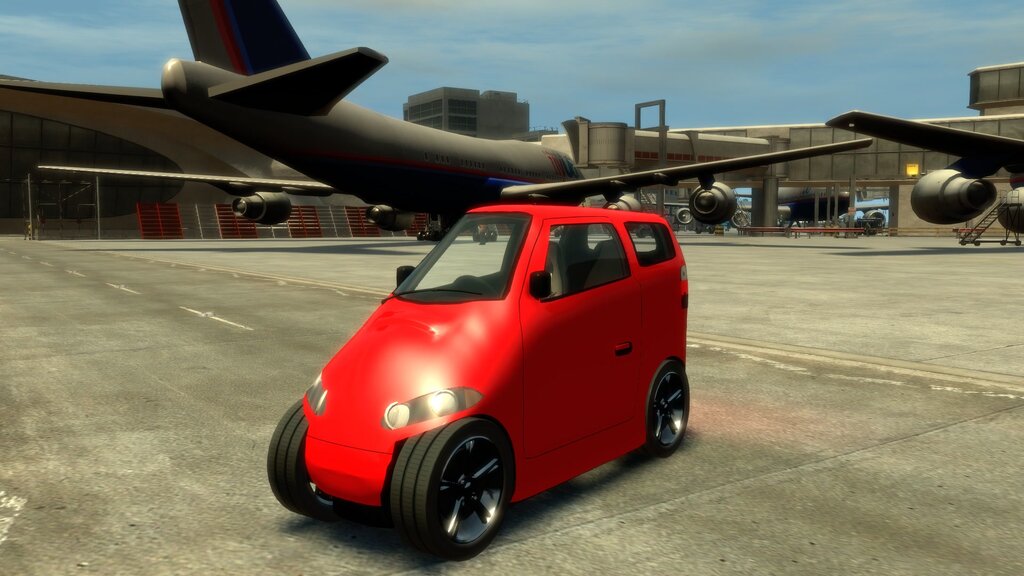
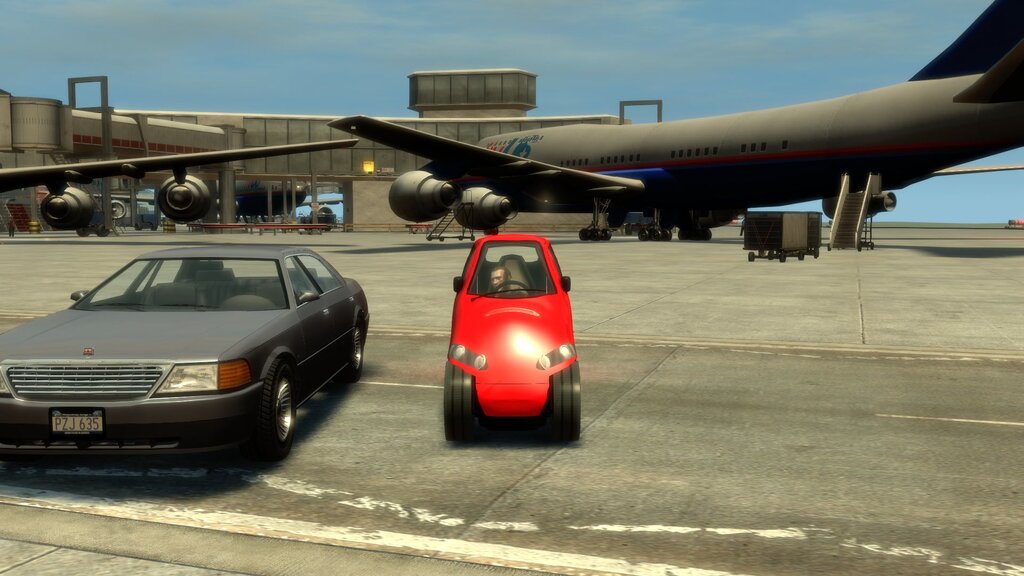
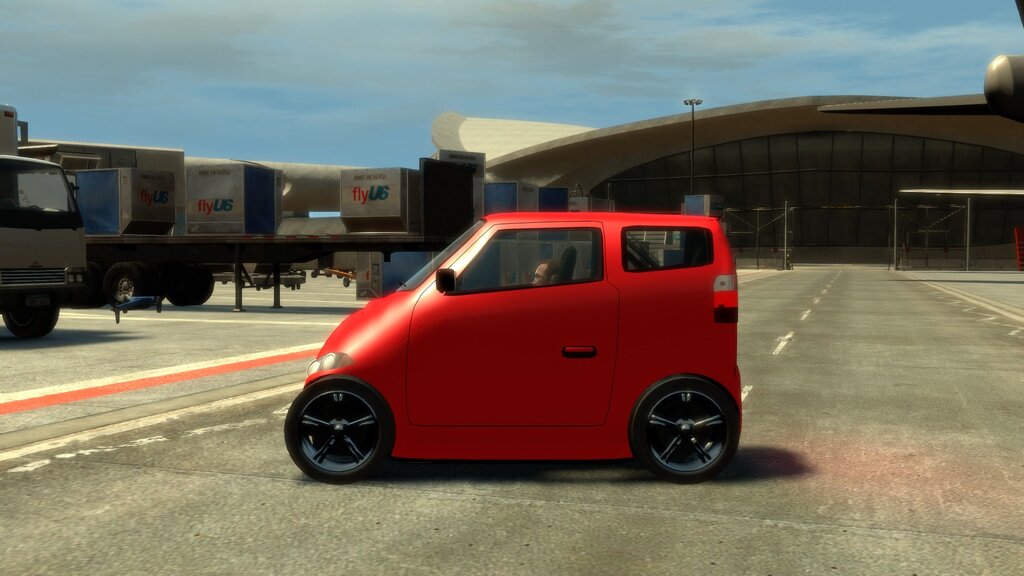
A one-metre-wide electric tandem two-seater, built from scratch for GTA IV. The driver sits in front and one passenger sits right behind, and everyone climbs in through the front doors. A heavy battery in the floor keeps it planted: it shrugs off hard corners and kerbs without rolling over, but it still spins and drifts like a GTA car. It is an add-on car, so no stock vehicle is replaced. FEATURES
- Add-on car tandemt6: spawn it with any trainer that spawns cars by model name. No stock car is replaced.
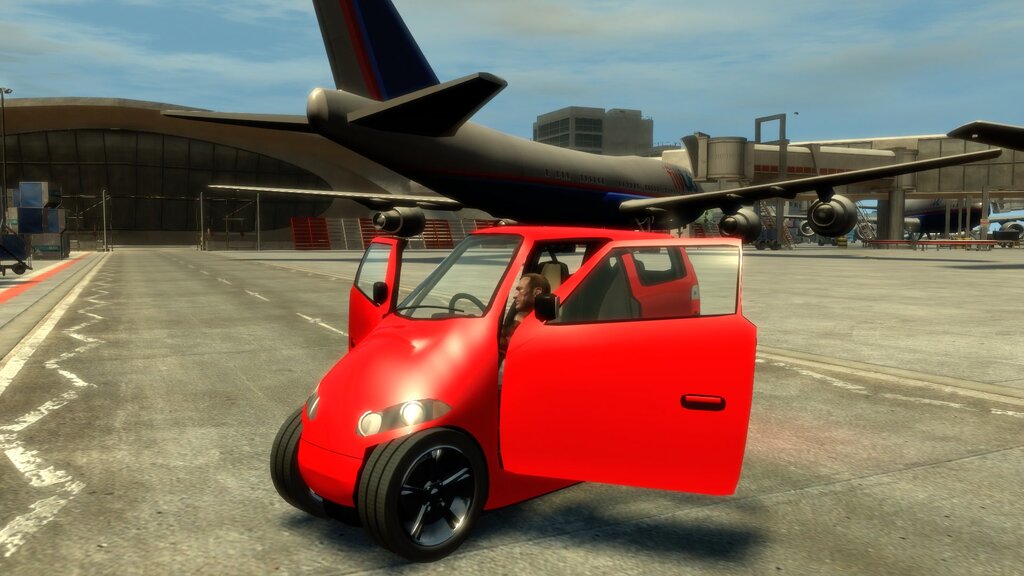
- Tandem seating: driver in front, one passenger directly behind. Both get in through the front doors, and the rear passenger can climb in even when the driver is already sitting there.
- Ride in the back: hold the Enter vehicle button next to a Tandem T6 driven by a friend or a companion.
- Battery-weight stability: the heavy floor battery keeps it upright through hard corners and kerb strikes. It only lets go in really big crashes, and it rights itself if it ends up on its side. Spins and donuts still work.
- Live stats on screen: power in kW, speed in mph and km/h, motor rpm, body roll and cornering g. Automatic 0-60 mph, 0-100 km/h and quarter-mile timers start by themselves from a standstill, and your session's best times show on a card when you get in.
- 20 original sounds: motor whine and growl that follow speed and throttle, a launch bite with a tyre chirp, carbon doors, the front seat sliding for the rear passenger, wind, body rattle, impacts and more.
- Body damage and deformation, like the stock cars.
- No battery to recharge: drive as far as you like.
- Every setting in one file (plugins/TandemT6.ini), and you can change settings while you play.
REQUIREMENTS
- Grand Theft Auto IV: The Complete Edition for PC, version 1.2.0.59 (Steam or Rockstar Games Launcher) on Windows, or on a Mac with CrossOver
- FusionFix 5.1.1 or newer by ThirteenAG and team: it loads the plugins folder (it includes the ASI loader) and the update folder where the car lives
- Aru's C++ ScriptHook 0.5.1 (ScriptHook.dll) plus the Complete Edition hook fix (aCompleteEditionHook.asi): Hook fixes for Complete Edition. The car's plugin runs as a ScriptHook script
- Optional: a trainer that spawns add-on cars by model name, for example Liberty's Legacy 2.4.1
None of these are included. Get them from their authors' pages. DOWNLOAD AND INSTALL Installing takes about ten minutes. You copy two folders into the game and paste three lines into three text files. There is no installer, and nothing in the game's own common folder is changed. Before you start
- Back up your GTA IV folder (or at least update/ and plugins/).
- Install everything in the README's requirements: FusionFix, ScriptHook and the Complete Edition hook fix. Start the game once to check that they work, then close it.
- Find your GTA IV folder: it is the one with GTAIV.exe in it. On Steam it is usually Steam\steamapps\common\Grand Theft Auto IV\GTAIV.
What's in the zip TandemT6-/ Game Folder/ plugins/ TandemT6.asi the car's plugin (seating, stability, stats, sounds) TandemT6.ini its settings TandemT6/sfx/ 20 sound files update/ z-TandemT6/tandemt6.img the car (model and textures) common/text/7.gxt the car's name and on-screen hints (7 languages) Data Lines/ vehicles.ide.txt one line for the game's vehicle list carcols.dat.txt one line for the car's paint colours handling.dat.txt one line for the car's handling README.txt LICENSE.txt CHANGELOG.txt SHA256SUMS.txt manifest.json Install
- Download TandemT6-.zip from the download section and unzip it. If you want to check the download, compare the files with SHA256SUMS.txt.
- Open the zip's Game Folder and copy its two folders, plugins and update, into your GTA IV folder. Merge them with the folders that are already there. You don't need to replace any existing file.
- Add the three data lines. In your GTA IV folder, open update\common\data:
- If vehicles.ide, carcols.dat or handling.dat is missing there, copy it in from common\data first. Never edit the files in common\data itself.
- If another add-on car already put these files there, keep them and add our lines to them.
- Open each file in a plain text editor (Notepad works) and paste the line from the matching .txt file in Data Lines. Each .txt file says where its line goes:
- vehicles.ide: inside the cars section, just before that section's end line
- carcols.dat: inside the car3 section, just before that section's end line
- handling.dat: on its own line among the other car rows
- Paste the lines exactly as they are (they contain tabs) and save as plain text.
- Start the game and spawn tandemt6 with your trainer. With Liberty's Legacy, add tandemt6 on its own line to the trainer's add-on car list (Liberty's Legacy\Lists\addon_vehicle_models.txt in your GTA IV folder), and the car shows up in its add-on vehicles menu.
- Get in. A short hint shows the controls, and the stats card shows your best times (controls).
On a Mac with CrossOver Do the same steps inside your CrossOver bottle:
- In CrossOver, open the bottle's C: drive and go to the GTA IV folder, usually Program Files (x86)\Steam\steamapps\common\Grand Theft Auto IV\GTAIV.
- Follow steps 1 to 5 above in that folder.
- If no ASI mod loads at all, set a DLL override in the bottle's Wine configuration: dinput8 = native, builtin. FusionFix's own readme explains this.
Uninstall
- Delete these from your GTA IV folder:
- plugins\TandemT6.asi, plugins\TandemT6.ini and the folder plugins\TandemT6\
- the folder update\z-TandemT6\
- the seven text files update\common\text\american7.gxt, french7.gxt, german7.gxt, italian7.gxt, japanese7.gxt, russian7.gxt and spanish7.gxt
- Remove the three Tandem T6 lines from vehicles.ide, carcols.dat and handling.dat in update\common\data. If you copied those files there only for this mod and no other mod uses them, you can delete them instead.
- If you added tandemt6 to your trainer's add-on list, remove that line too.
- Before you uninstall, don't leave the car in a safehouse garage. Get out of it somewhere else, then save.
Troubleshooting
- The trainer can't spawn tandemt6, or the game says the model isn't found: Fix: Check that update\z-TandemT6\tandemt6.img is in place and that the vehicles.ide line is inside the cars section of update\common\data\vehicles.ide.
- The game crashes while loading after you added the lines: Fix: A data line is broken or in the wrong section. Paste it again from Data Lines, with its tabs. Make sure the TANDEMT6 row is in handling.dat, because the vehicles.ide line refers to it.
- The car's name shows as TANDEMT6 or nothing at all: Fix: The text files update\common\text\*7.gxt are missing, or another mod replaced them (see Known issues in the README).
- No stats, no hint, no rear-seat boarding, no custom sounds: Fix: The plugin didn't load. Check that ScriptHook (ScriptHook.dll) and aCompleteEditionHook.asi are installed. plugins\TandemT6.log says what loaded.
- No motor sound: Fix: Check that the 20 files are in plugins\TandemT6\sfx\, that [Sound] Enabled=1 in plugins\TandemT6.ini, and that the game's SFX volume isn't at zero.
- The horn is silent: Fix: That's expected: see Known issues in the README.
- K or the controller chord does nothing: Fix: The game window must have focus, and the keys are ignored while a trainer menu is open. Check [Keys] and [Pad] in plugins\TandemT6.ini if you remapped them.
- The stats overlap another HUD mod: Fix: Move them with [Hud] X, Y, CardX and CardY in plugins\TandemT6.ini.
- On a Mac, no mod loads at all: Fix: Set the dinput8 DLL override (see "On a Mac with CrossOver" above).
When you report a problem, attach plugins\TandemT6.log and say which game version and other mods you use (report a bug). CONTROLS The car drives with the game's normal controls. These are the extras. A short hint shows them each time you get in.
- Stats: card, live stats, off (cycles): Keyboard: Tap K, Controller (Xbox layout): Hold LB, click R3
- Reset the timers and the top speed: Keyboard: Hold K (0.6 s), Controller (Xbox layout): Hold LB + R3 (0.6 s)
- Get in as the driver: Keyboard: The game's Enter vehicle key (F by default), Controller (Xbox layout): Y
- Ride in the back of a Tandem T6 driven by a friend or a companion: Keyboard: Hold Enter vehicle (F) next to it, Controller (Xbox layout): Hold Y next to it
- Get out (either seat): Keyboard: The game's exit key (F by default), Controller (Xbox layout): Y
How the seats work
- The driver sits in front and the passenger sits directly behind. Both get in through the front doors.
- The rear passenger opens a front door and climbs through to the back, even when the driver is already in. They get out the same way.
- Companions (bodyguards, friends) use the rear seat. They walk to a front door by themselves.
The stats
- Card (shown for a few seconds when you get in): your best 0-60 mph, 0-100 km/h and quarter-mile times this session, the quarter-mile trap speed and your top speed, all measured in game.
- Live stats: power in kW (and amps), speed in mph and km/h, motor rpm, then the timers, then body roll, cornering g and what the stabiliser is doing.
- Timers start by themselves: come to a full stop, wait a moment, then accelerate. Hold K (or LB + R3) to clear them.
Notes
- The keys only work while the game window has focus, and they are ignored while a trainer menu (such as Liberty's Legacy) is open, so menu buttons don't reach the car.
- L3 stays the game's horn: the car never reads it.
Changing the keys Open plugins\TandemT6.ini in a text editor:
- [Keys] Hud=0x4B is the keyboard key as a Windows virtual-key code: 0x4B is K. For example, 0x4C is L and 0x4A is J.
- [Pad] ChordA=0x0100 and ChordB=0x0080 are the controller buttons as XInput values: 0x0100 is LB and 0x0080 is R3. Others: 0x0200 RB, 0x0040 L3, 0x1000 A, 0x2000 B.
- [Pad] HoldMs=600 is how long a press counts as a hold, in milliseconds.
To apply a change while the game runs, change [Live] Serial (for example from 0 to 1) and save. The car reloads its settings within a second. KNOWN ISSUES
- No horn, engine or tyre-skid sounds from the game itself. GTA IV gives add-on cars no audio entry of their own, and that file can't be shipped with a mod. The car's own sounds cover the motor, launch, doors, seat, wind, rattles and impacts, but the horn is silent.
- Companions boarding the rear seat is the least tested part. If a bodyguard or friend gets stuck at the door, step away a few metres and let them try again, and please report it.
- Text slot: the car's name and on-screen hints use the game's 7.gxt text files. Another mod that uses the same slot will clash with it. Tell us and we'll move to another slot.
- On-screen stats sit on the right-hand side of the screen and can overlap other HUD mods. Move them with [Hud] X, Y, CardX and CardY in plugins/TandemT6.ini.
- The data lines are added by hand: there is no installer (see the install steps).
- Developed and tested on a Mac with CrossOver. Windows should behave the same, but it hasn't been tested yet.
CREDITS, TERMS AND SUPPORT Credits
- Author: Penandpaerdamn
- Built with:
- Blender 5.2: the car is generated by our own Python scripts, not modelled by hand or taken from anywhere
- Python 3 and numpy: our own converter to GTA IV's model, texture and archive formats, the procedural textures and the synthesized sounds
- MinGW-w64 (GCC) to build the plugin, and clang for its tests
- The game's own vehicle skeleton template, so the car moves and breaks like a stock car. No Rockstar meshes, textures or sounds are included.
- Third-party code and assets: none are included. The model, textures, sounds and plugin are all original.
- Needs, and thanks to: FusionFix by ThirteenAG and the FusionFix team, Aru for the C++ ScriptHook, the authors of the Complete Edition hook fix, and the GTA IV modding community, whose research on the game's file formats and script functions made this possible.
Terms of use Tandem T6 is free. These terms cover the files in the release zip, and the text and images on its Liberty Garage wiki pages. The source code is not part of either and is not licensed here. You may
- Download it, install it on your own PCs and Macs, and play it, free.
- Show it in screenshots, videos and streams. A link back to the official page is appreciated. Rockstar Games' own video policy covers the game footage itself.
- Change the settings file for your own use.
- Put it in a modpack for your own private use.
Please don't
- Re-upload or mirror it on another site, or in a public modpack. Link to the official page instead.
- Share edited versions (changed model, textures, sounds or plugin) without asking first.
- Sell it, charge for it, or put it behind a paywall, a subscription or an early-access tier.
- Take the model, textures or sounds for another game, mod or product without permission.
- Claim it as your own work or remove the credits.
Free, with an optional tip Tandem T6 is a non-commercial fan mod, in line with Rockstar Games' mod guidelines and the licence of the ScriptHook it runs on. It is never sold. A tip link may be offered: a tip is a thank-you, and it unlocks nothing. Every version stays free for everyone. Tip link: Ko-fi No warranty It is provided as is, without warranty of any kind. Back up your game files before installing any mod. Not affiliated Tandem T6 is an unofficial fan-made mod. It is not affiliated with or endorsed by Rockstar Games, Take-Two Interactive or any car maker. Copyright (c) 2026 Penandpaerdamn. All rights reserved, except as allowed above. Download and help
- Tandem T6 on the Liberty Garage wiki: direct download (no sign-up), install guide, controls, changelog
- Version numbers explained
- Report a bug
Join the garage
Share your setup and get help on LibertyGrage Discord. Also available on Nexus Mods.
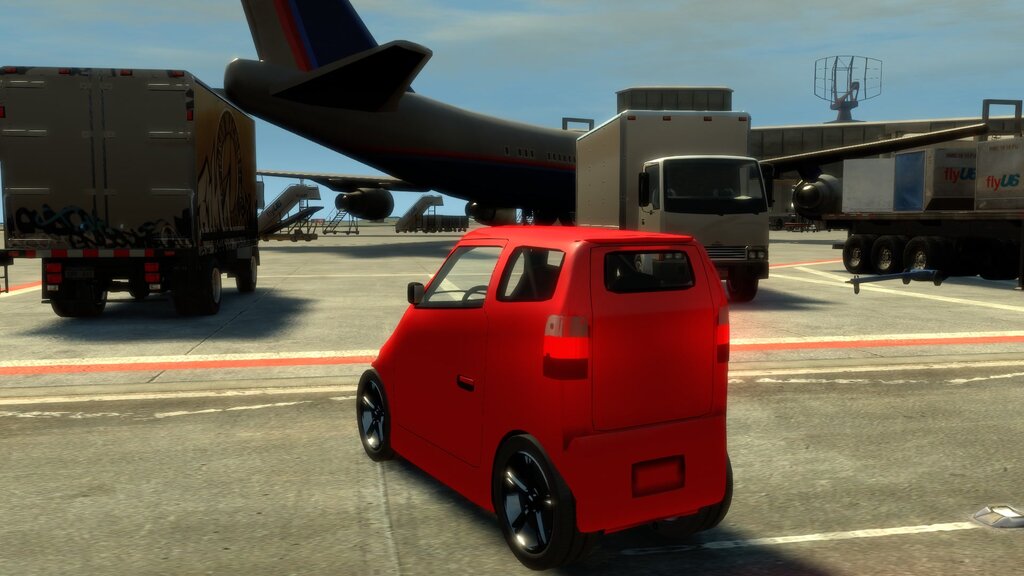
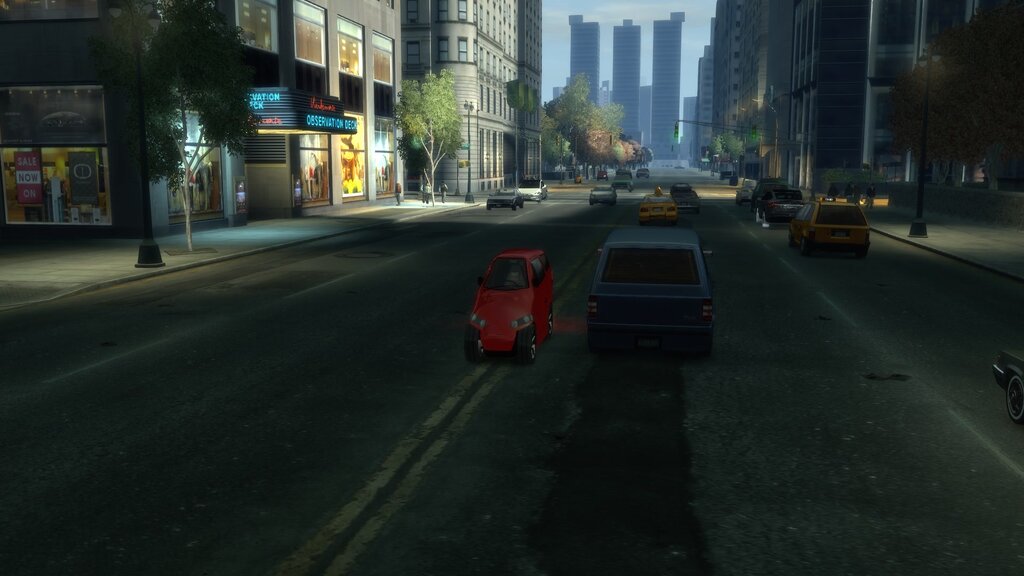
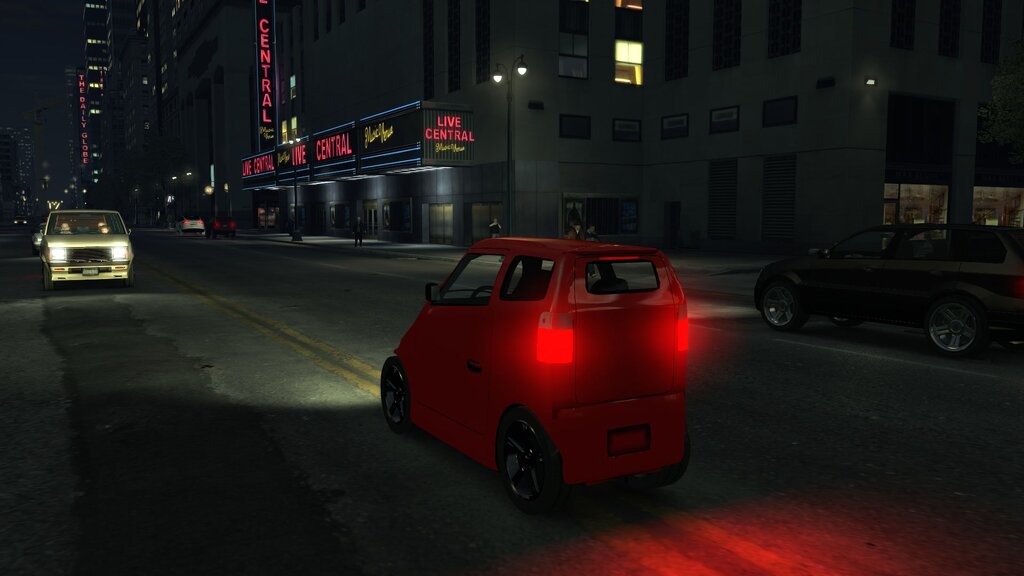
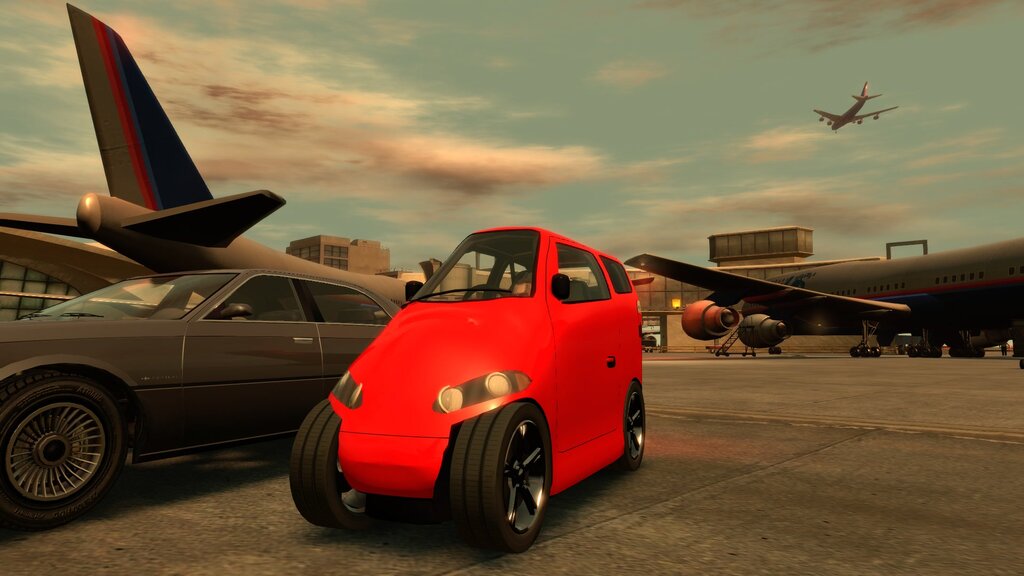
Cover: real in-game screenshot from the 19 October 2026 airport shoot, captured on Mac through CrossOver with HUD hidden; cropped and scaled only. All eight gallery images are actual gameplay: front, side and rear views, a size comparison, open doors, city traffic, night lighting and golden hour.
Комментарии
Опубликовано комментариев: 1.


LOL Look Like Memes Chile in Car Style: Average Tandem T6 From GTA IV Modding in Chile
Цитировать | Ответить | (1)